L’AUTOMATISATION SUR VOTRE SERVEUR

n8n Hosting

Confiez les tâches répétitives à vos workflows.

Kurulu ve çalışır halde teslim edilen n8n otomasyon sunucuları.

Starting at₺549,00/ Aylık

Brouillon de workflown8n
Exemple interactif · aucune tâche réelle exécutée
n8n préinstalléVotre propre serveurDomaine & SSLGestion de l’applicationn8n / Docker / Caddy

COMMENCEZ PAR UNE IDÉE

Copier, coller, recommencer ? Faites-en un workflow.

Choisissez un exemple pour voir ses étapes se connecter dans l’espace ci-dessus.

Des outils distincts. Un workflow connecté.

Connectez vos propres comptes et identifiants API.

WebhookAPISQLJSONSMTP

PLUS QU’UN SERVEUR

Vos workflows dans n8n. Le contrôle dans votre panel.

Gérez les accès, domaines, sauvegardes et mises à jour depuis un seul endroit.

Centre d’automatisationFonctions du panel
État de l’applicationContrôles d’état et de connexion
Domaine & SSLConnectez votre adresse
Gestion des versionsMises à jour contrôlées

Votre adresse. Votre espace.

Connectez votre domaine et gérez les adresses de l’application et des webhooks depuis le panel.

Une copie avant les changements.

Créez des sauvegardes locales, programmez une sauvegarde quotidienne et restaurez si nécessaire.

Partez d’un modèle.

Ajoutez une copie inactive d’un modèle. Connectez vos comptes, testez, puis activez.

n8n Başlangıç

İşlemci
2 vCPU
Bellek
4 GB RAM
Disk
40 GB NVMe
Konum
Almanya · Premium — Intel i9-12900K

L’AUTOMATISATION SUR VOTRE SERVEUR

Configure your plan

Choisissez les ressources et la période de facturation. Le configurateur calcule le prix de votre sélection.

Période de facturation

İşlemci

Bellek

Disk

Konum

Ek bilgiler

The operating system to install on your VM/container.

The root/administrator password for your VM/container.

Récapitulatif de commande

İşlemci
2 vCPU +₺0,00
Bellek
4 GB RAM +₺0,00
Disk
40 GB NVMe +₺0,00
Konum
Almanya · Premium — Intel i9-12900K +₺0,00
Operating System
Ubuntu 24.04 LTS
Ara toplam
₺457,50
KDV (20.00%)
₺91,50
À payer aujourd’hui ₺549,00

Paiement en plusieurs fois par carte

Sans frais d’installation · remboursement sans condition sous 7 jours

DÉCOUVREZ LE PANNEAU AVANT L’ACHAT

n8n Hosting, dans votre panneau.

Découvrez vos écrans de gestion. Ces images proviennent des modèles de notre panneau client actuel.

All panel screens 28
uLCloud / Aperçu du panneau01 / 28
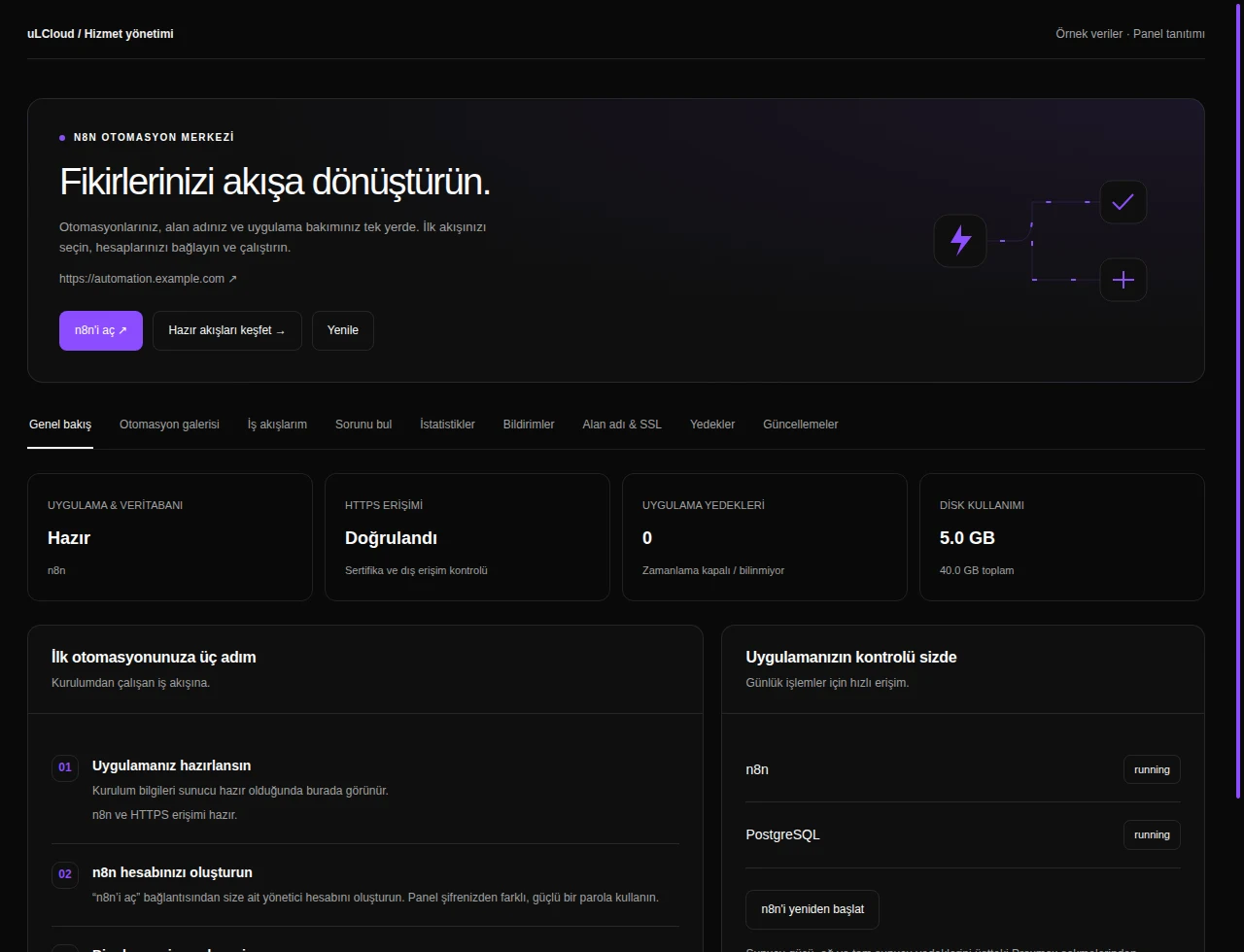
n8n Hosting — Centre d’automatisation. Interface réelle · Données fictives · Fonctionnalités selon votre offre.
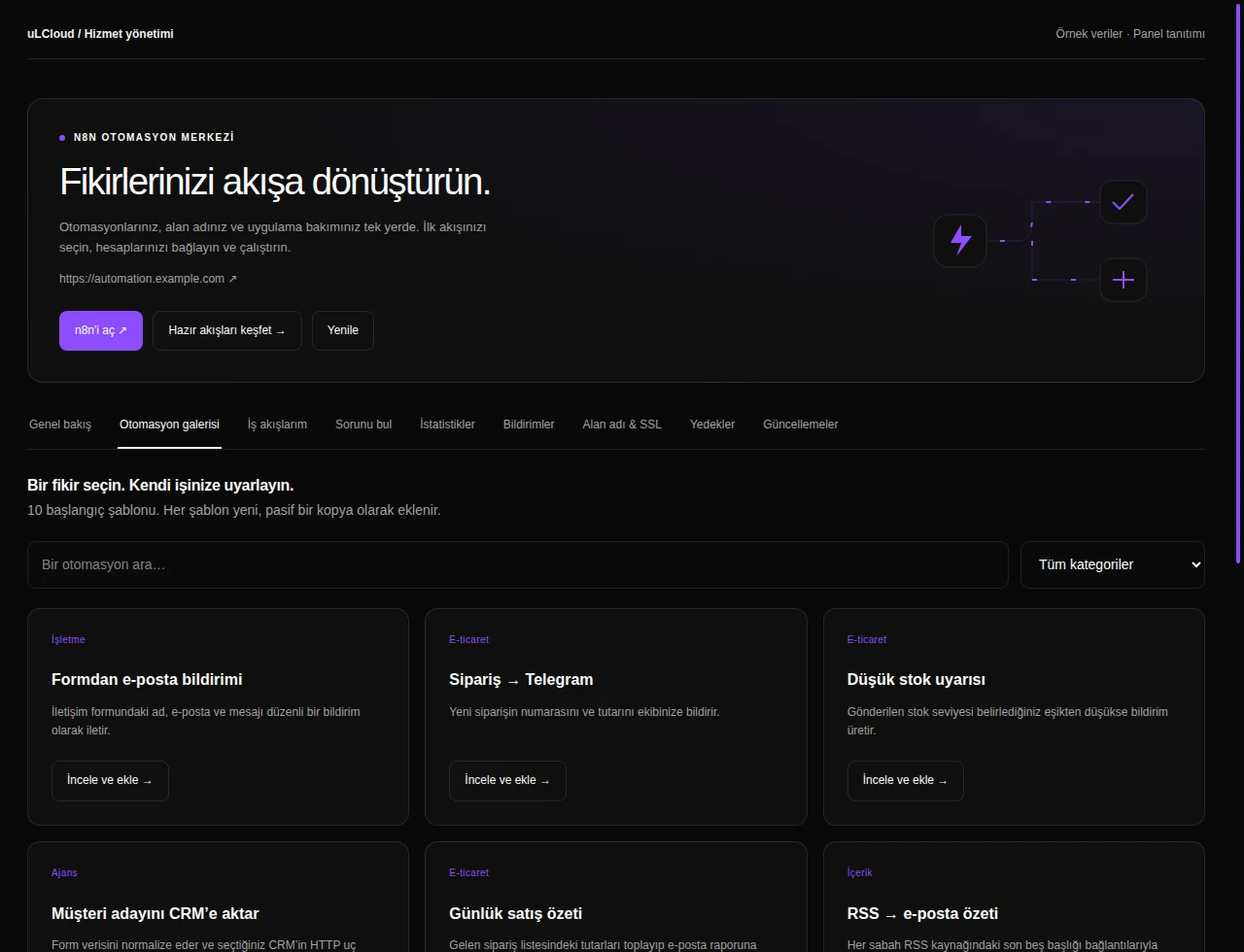
n8n Hosting — Galerie d’automatisation. Interface réelle · Données fictives · Fonctionnalités selon votre offre.
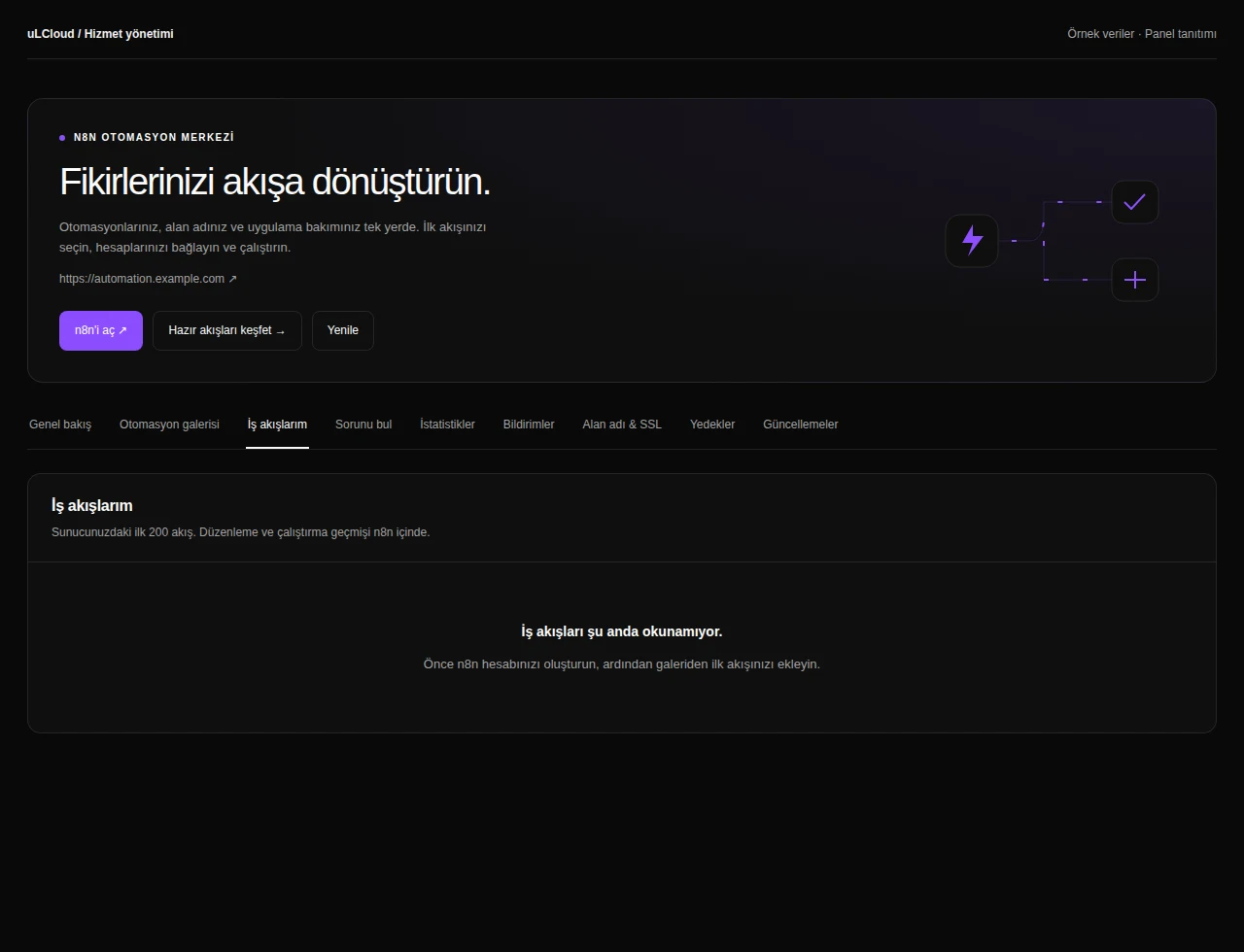
n8n Hosting — My workflows. Interface réelle · Données fictives · Fonctionnalités selon votre offre.
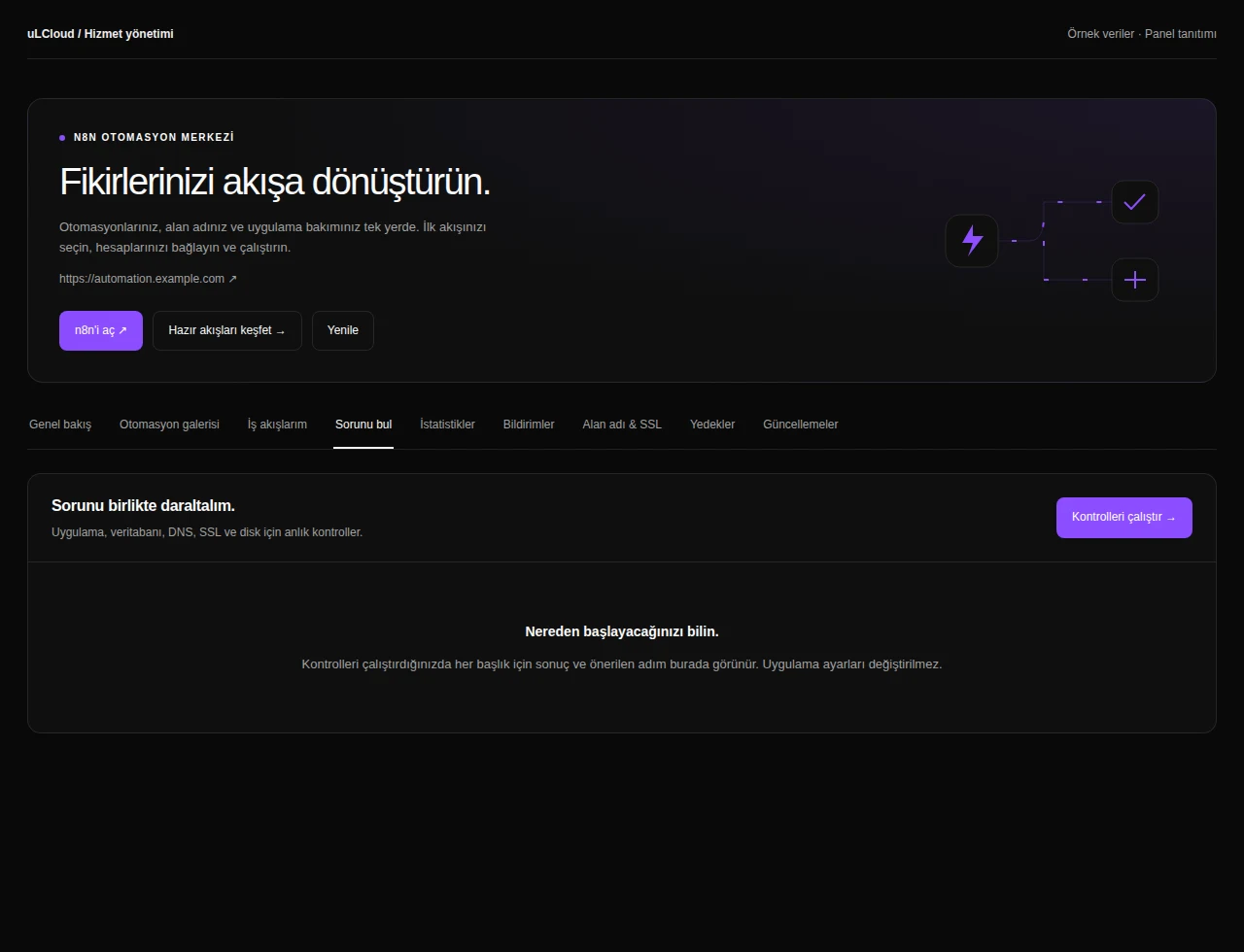
n8n Hosting — Diagnostics. Interface réelle · Données fictives · Fonctionnalités selon votre offre.
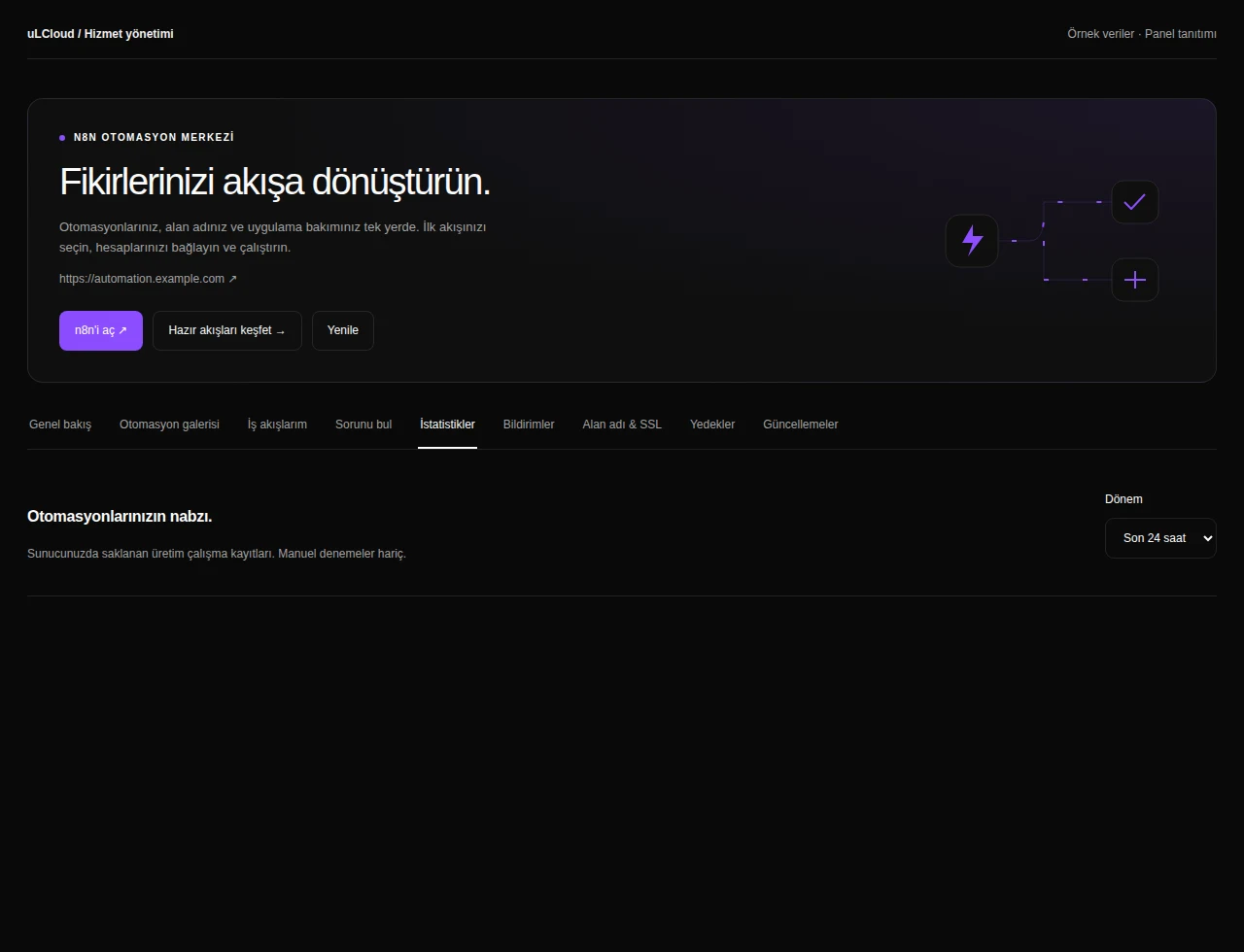
n8n Hosting — Automation analytics. Interface réelle · Données fictives · Fonctionnalités selon votre offre.
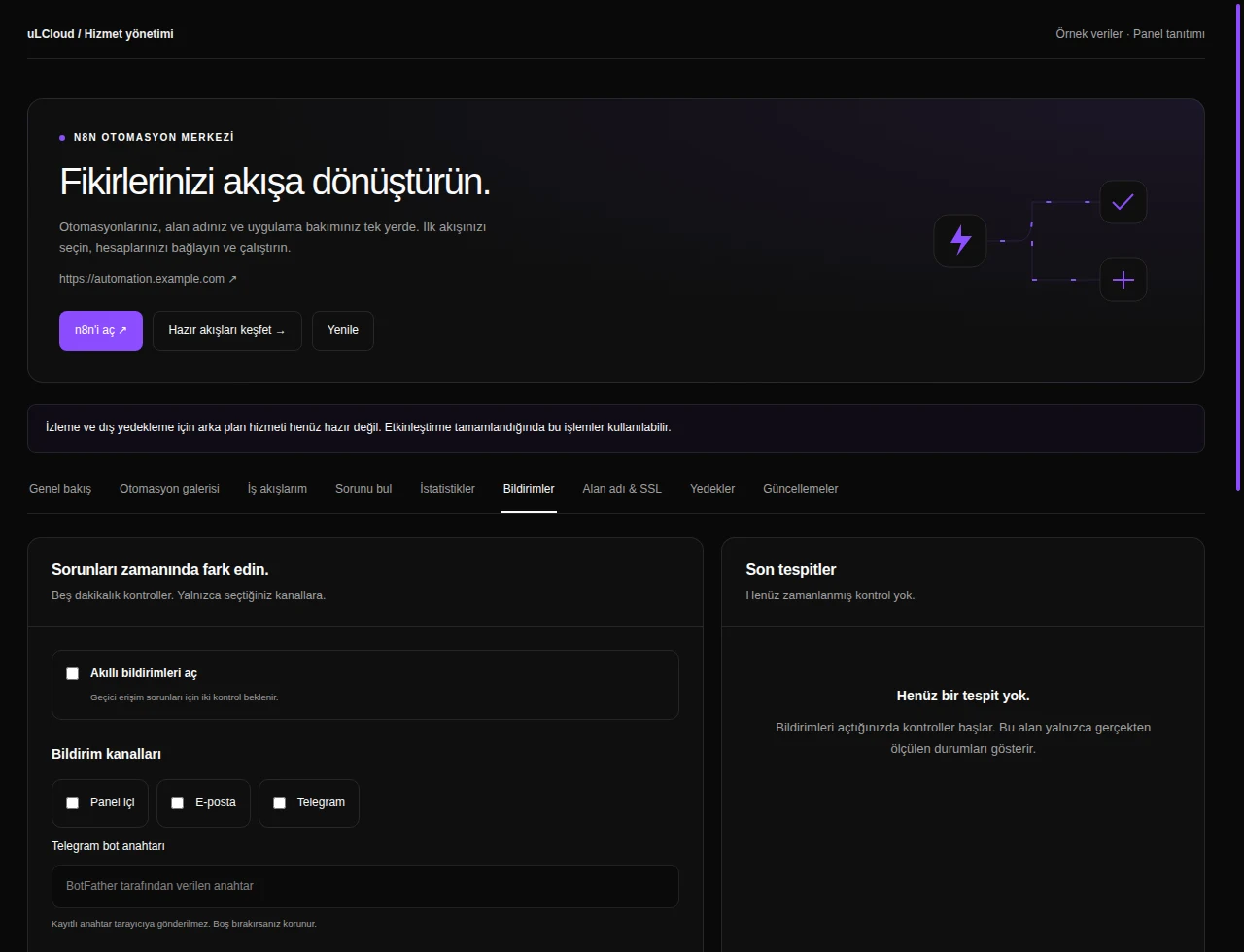
n8n Hosting — Automation notifications. Interface réelle · Données fictives · Fonctionnalités selon votre offre.
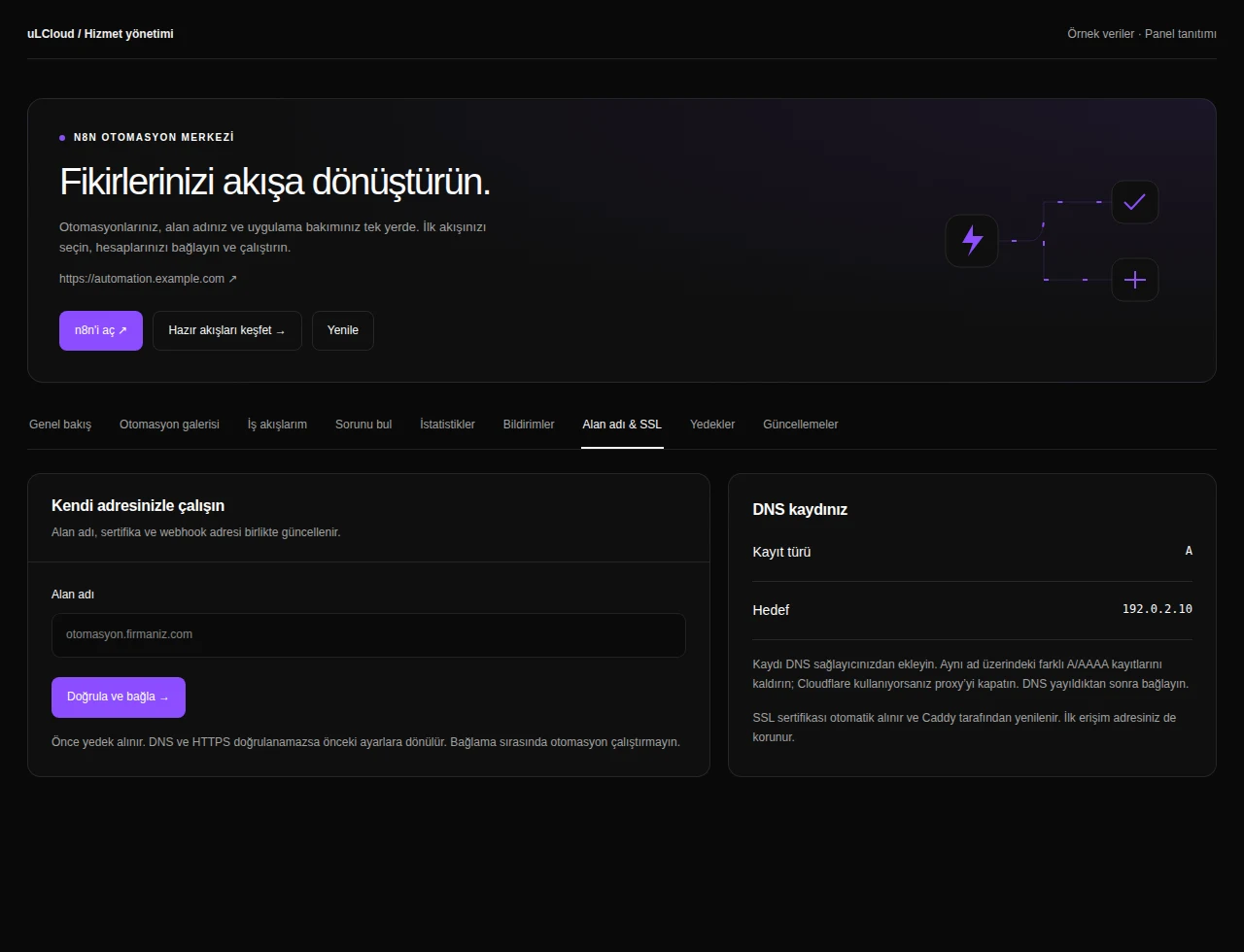
n8n Hosting — Domain and SSL. Interface réelle · Données fictives · Fonctionnalités selon votre offre.
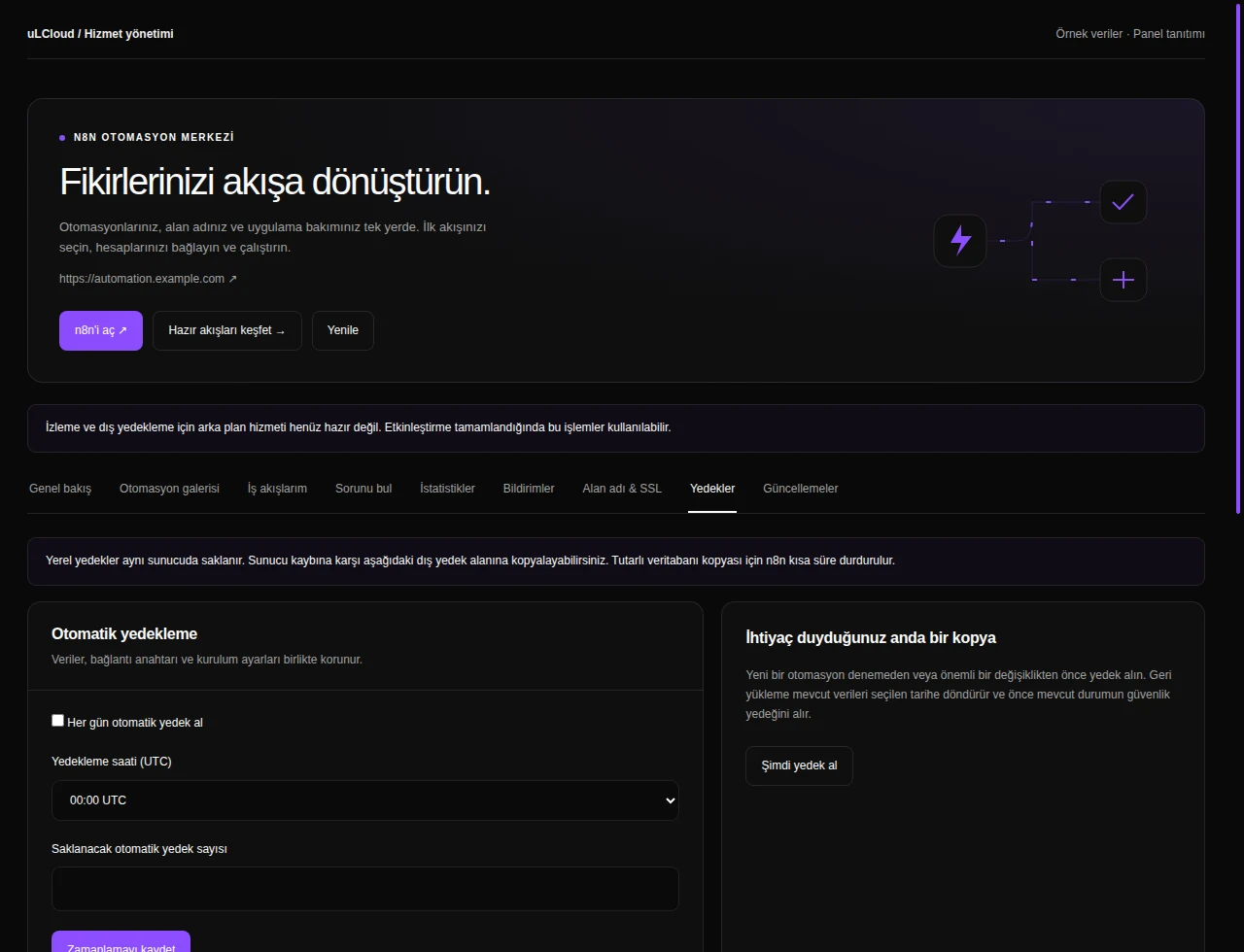
n8n Hosting — n8n backups. Interface réelle · Données fictives · Fonctionnalités selon votre offre.
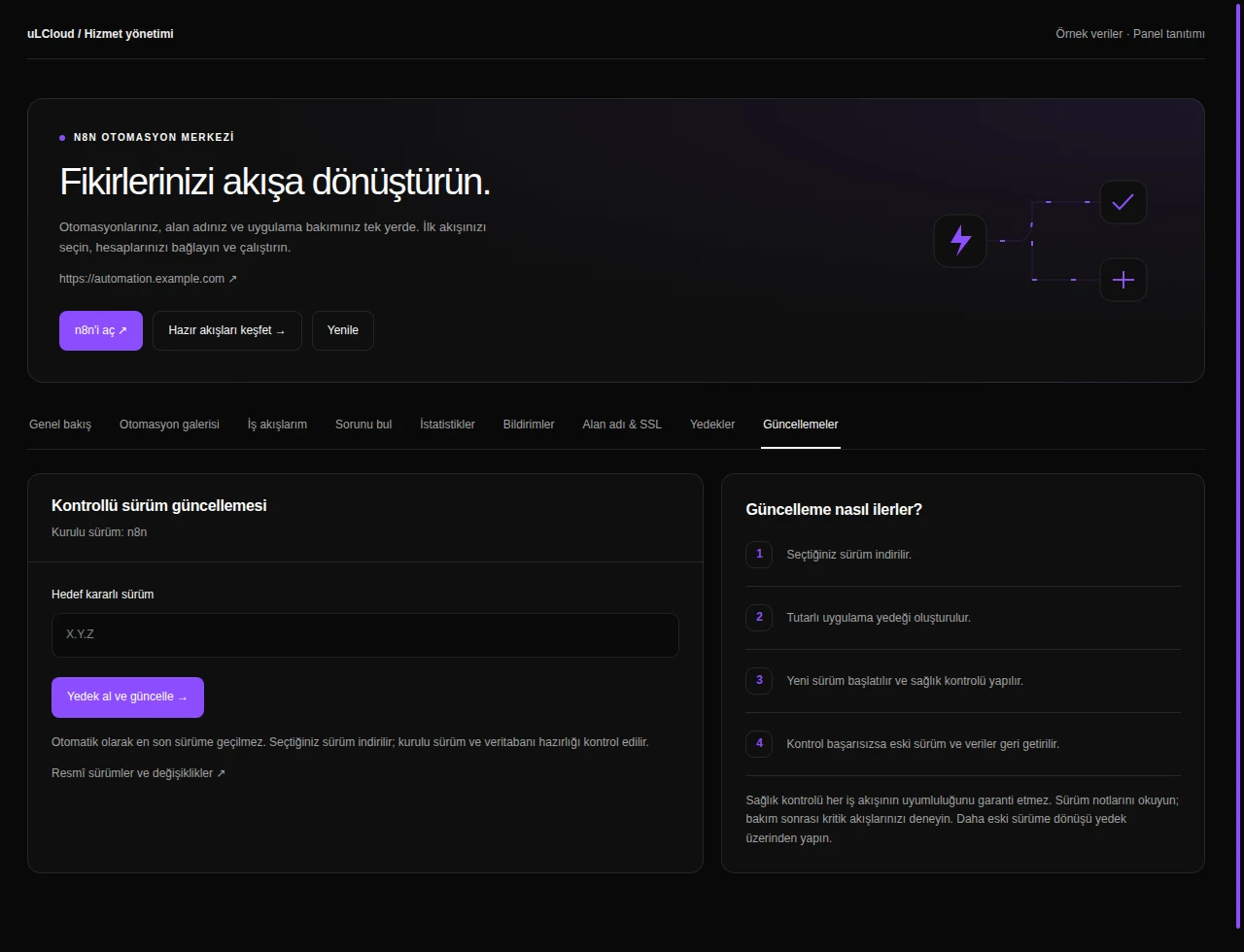
n8n Hosting — n8n updates. Interface réelle · Données fictives · Fonctionnalités selon votre offre.
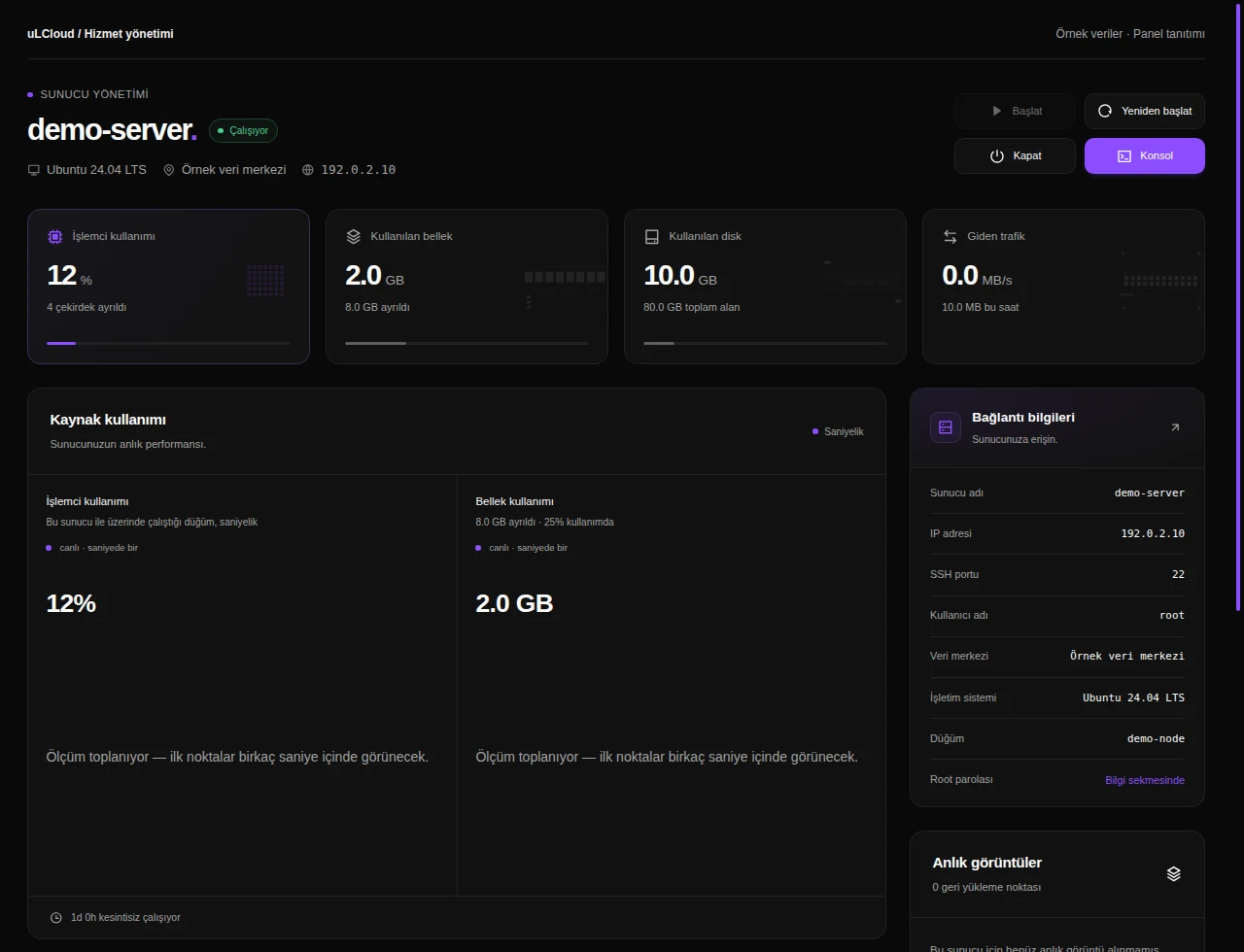
n8n Hosting — Overview. Interface réelle · Données fictives · Fonctionnalités selon votre offre.
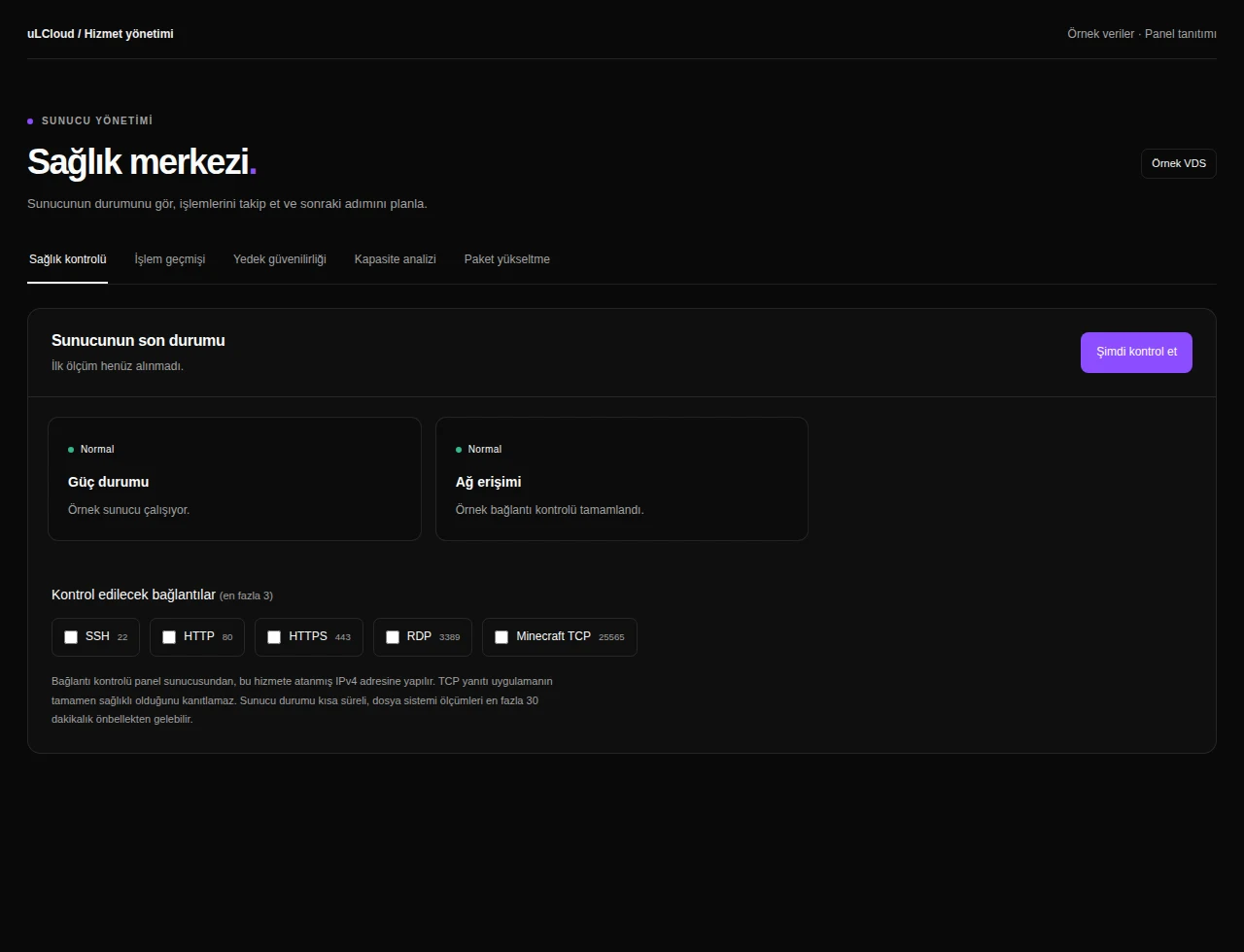
n8n Hosting — Health checks. Interface réelle · Données fictives · Fonctionnalités selon votre offre.
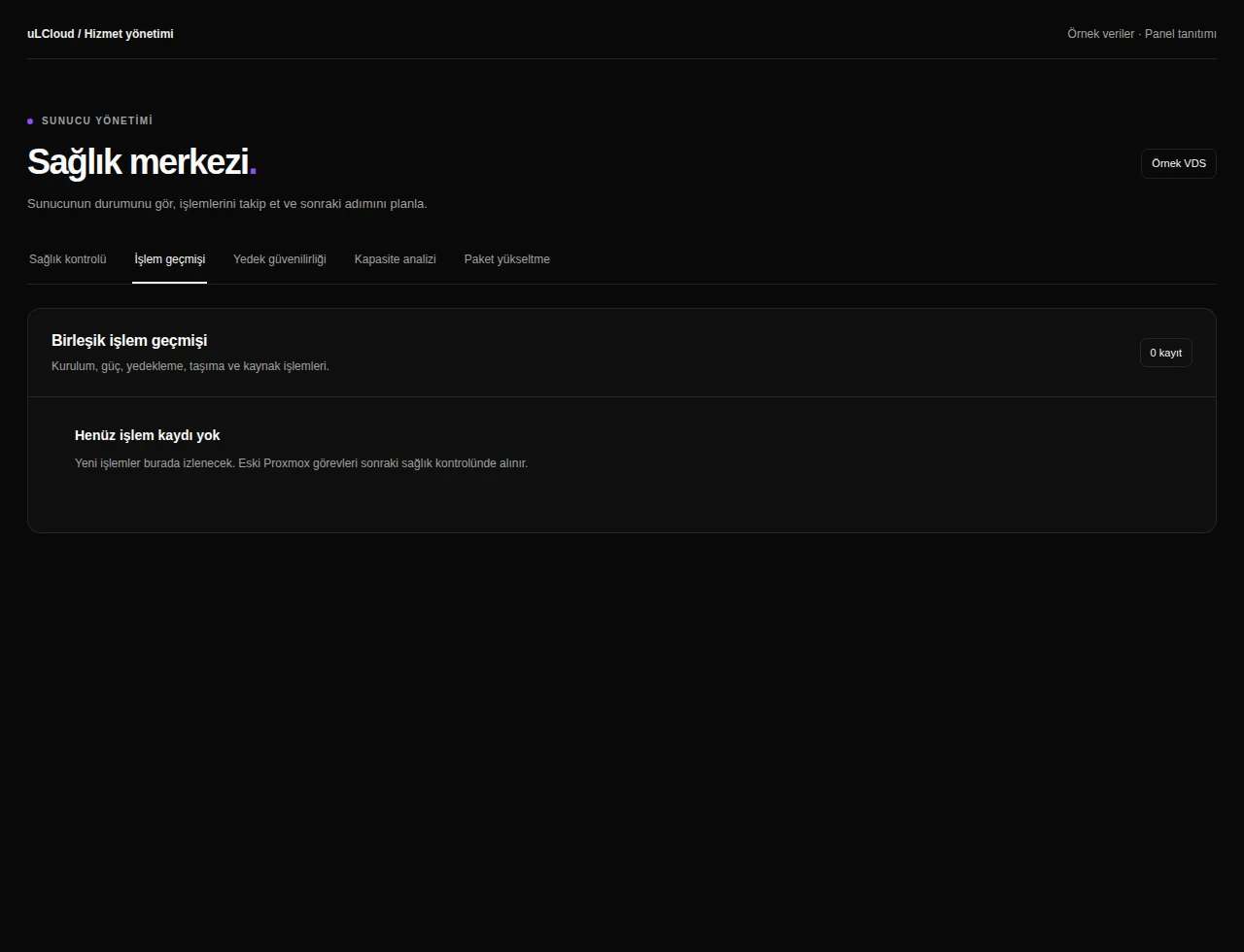
n8n Hosting — Activity history. Interface réelle · Données fictives · Fonctionnalités selon votre offre.
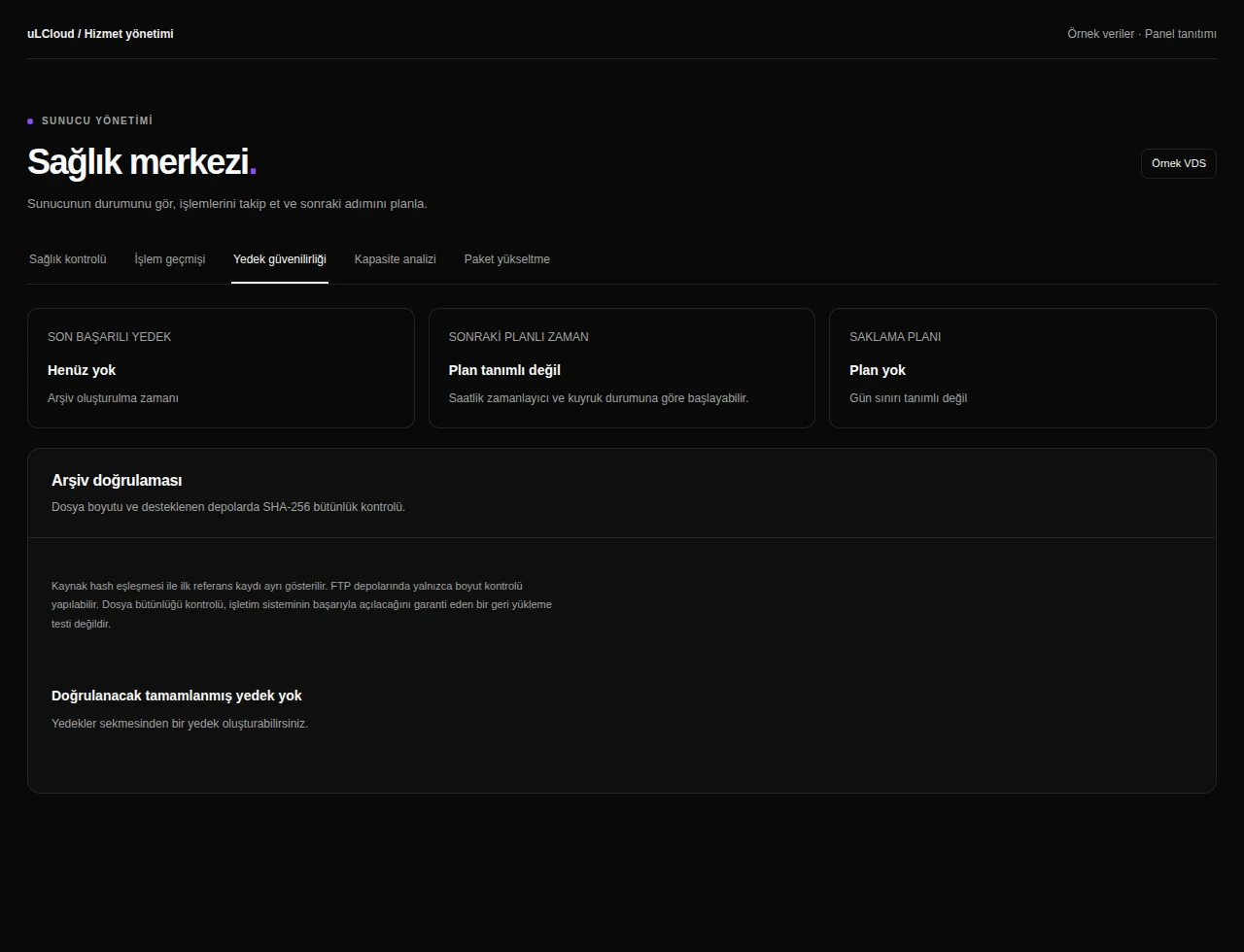
n8n Hosting — Backup integrity. Interface réelle · Données fictives · Fonctionnalités selon votre offre.
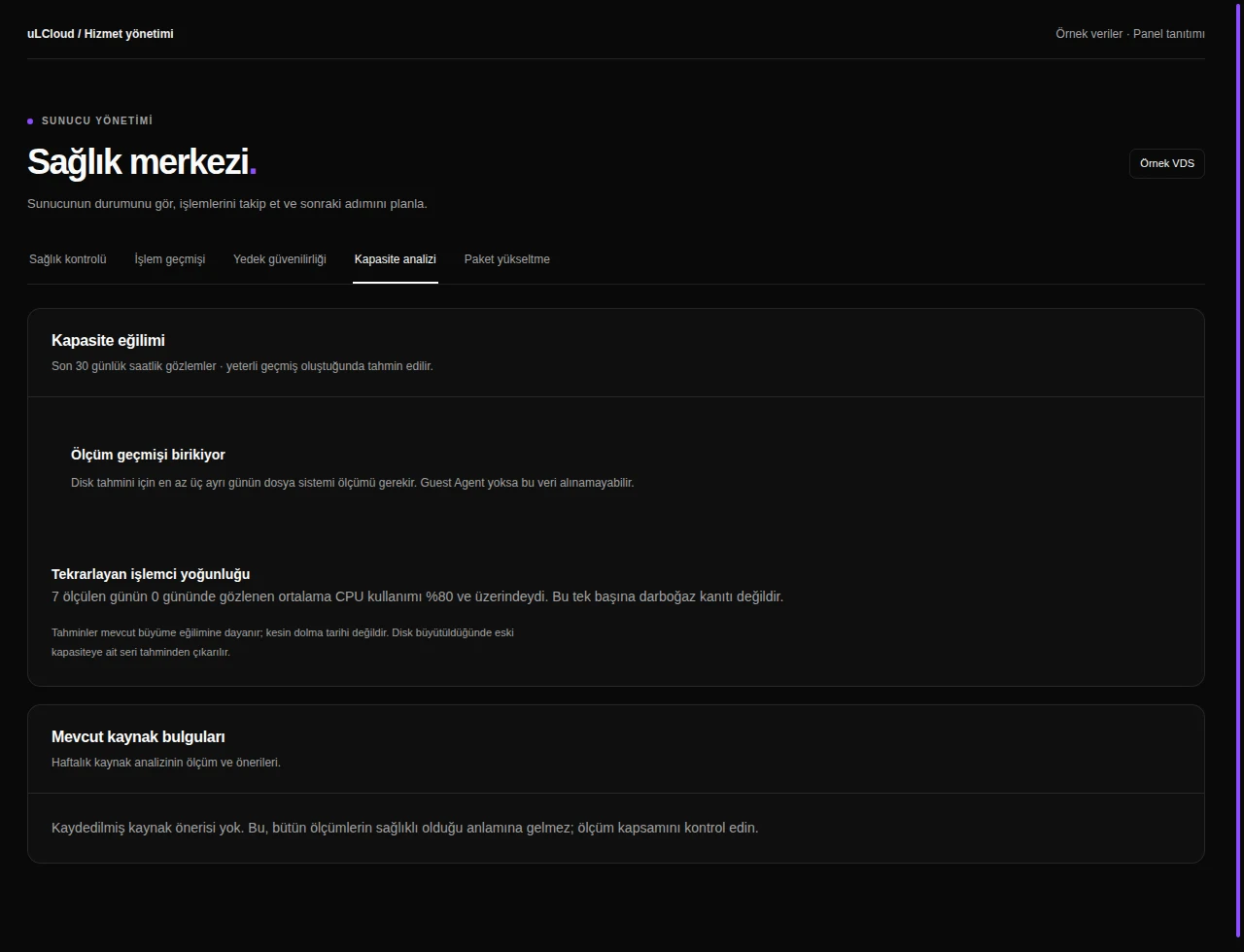
n8n Hosting — Capacity analysis. Interface réelle · Données fictives · Fonctionnalités selon votre offre.
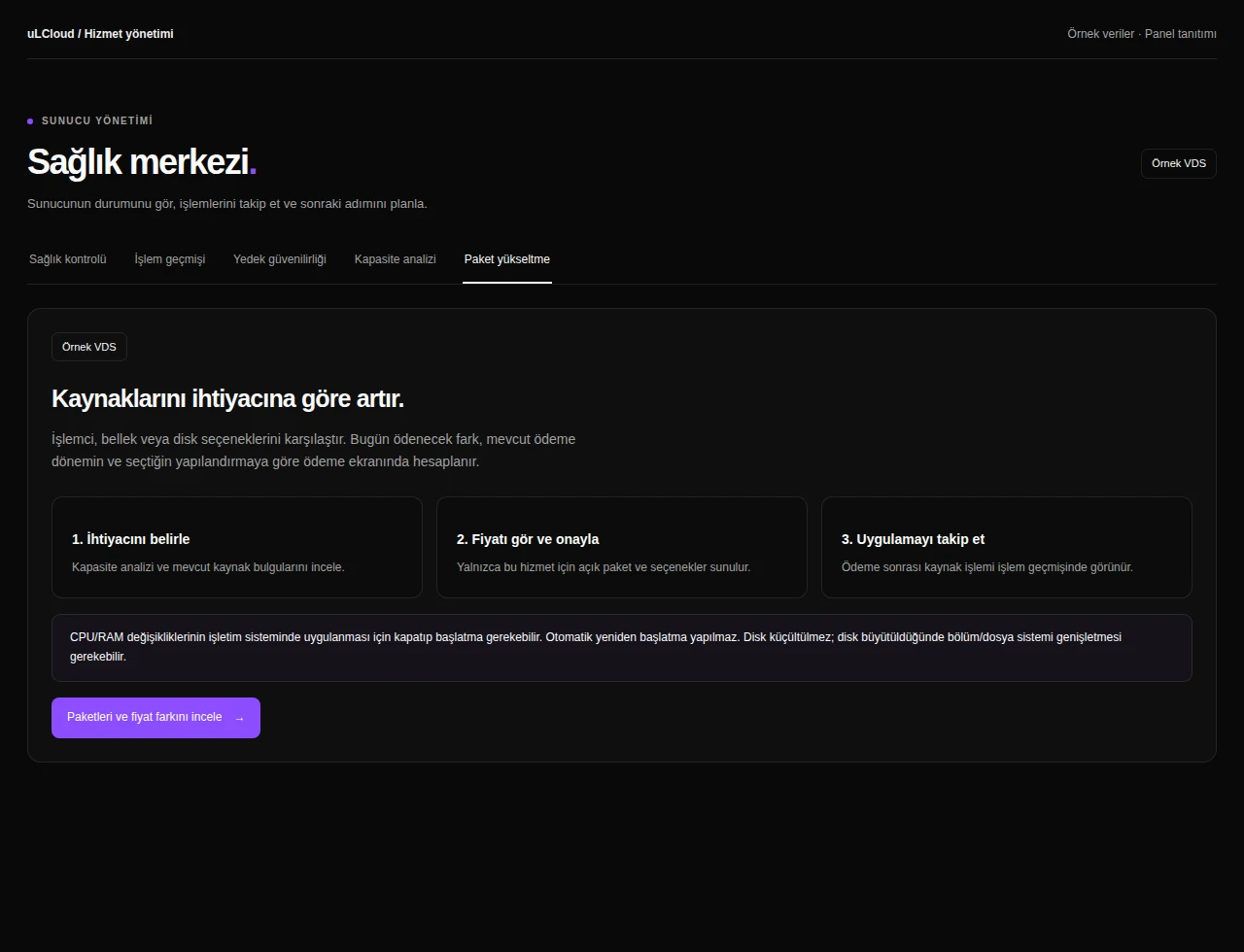
n8n Hosting — Plan upgrade. Interface réelle · Données fictives · Fonctionnalités selon votre offre.
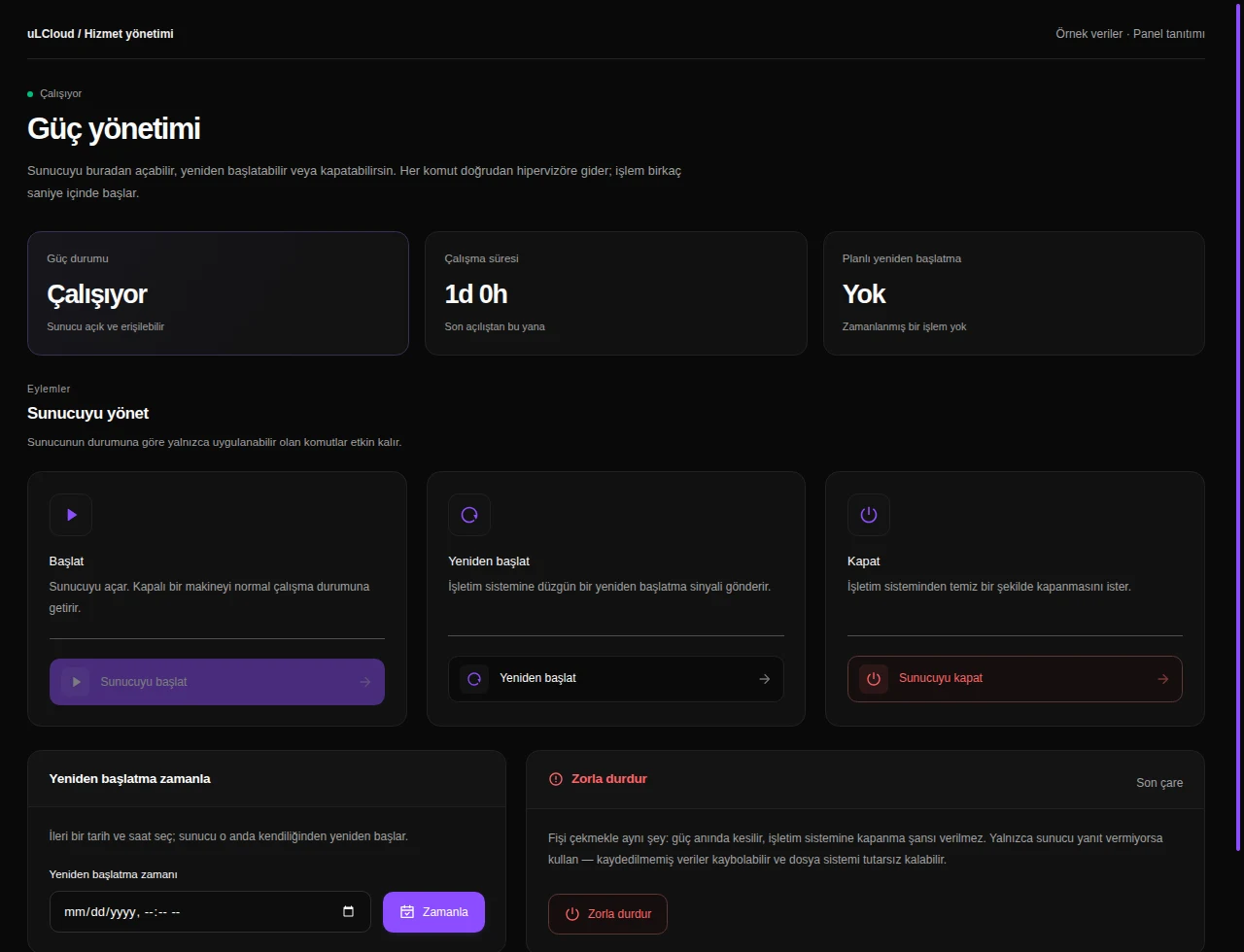
n8n Hosting — Alimentation. Interface réelle · Données fictives · Fonctionnalités selon votre offre.
n8n Hosting — Browser console. Interface réelle · Données fictives · Fonctionnalités selon votre offre.
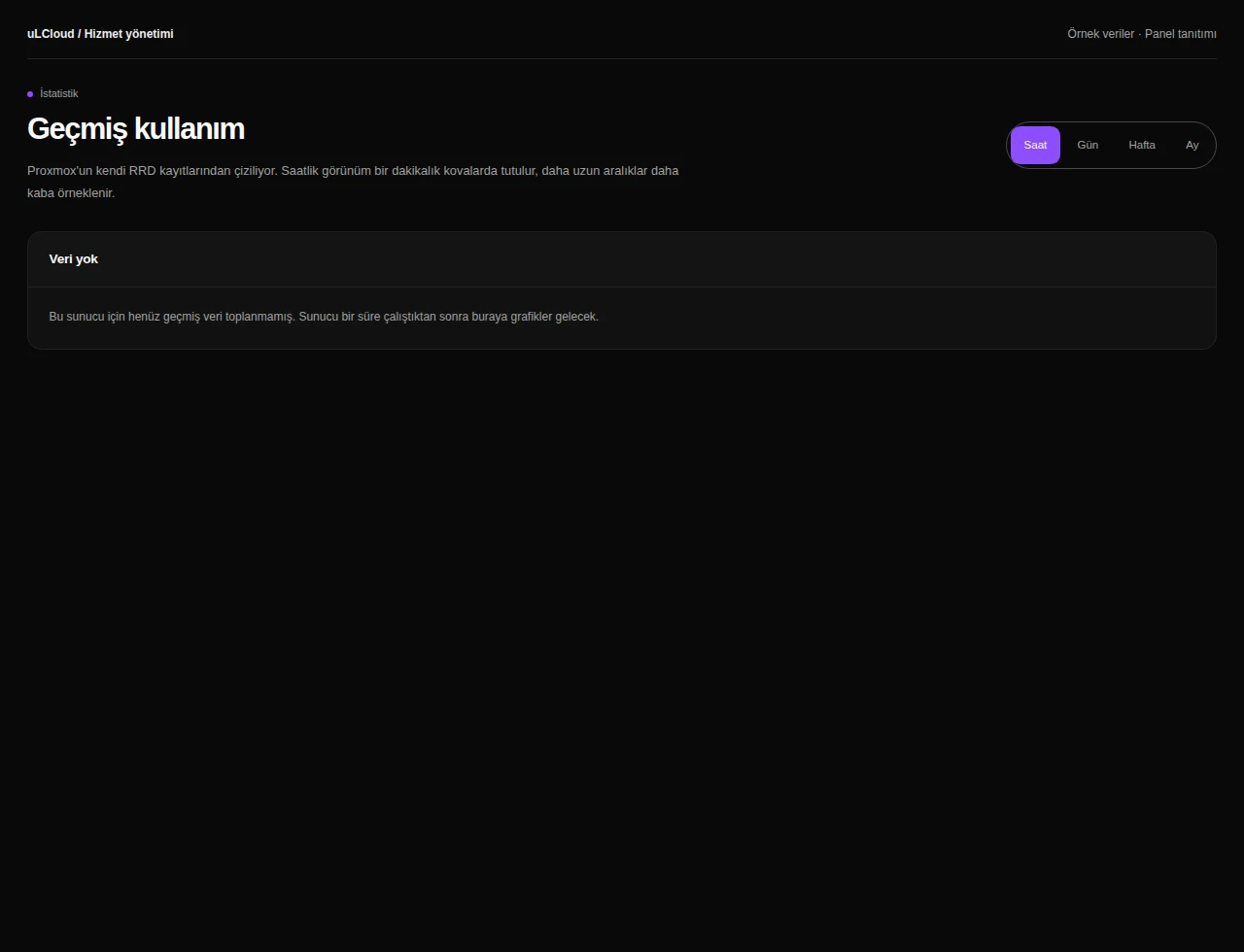
n8n Hosting — Statistics. Interface réelle · Données fictives · Fonctionnalités selon votre offre.
n8n Hosting — État des ressources. Interface réelle · Données fictives · Fonctionnalités selon votre offre.
n8n Hosting — Server information. Interface réelle · Données fictives · Fonctionnalités selon votre offre.
n8n Hosting — Networking. Interface réelle · Données fictives · Fonctionnalités selon votre offre.
n8n Hosting — Firewall. Interface réelle · Données fictives · Fonctionnalités selon votre offre.
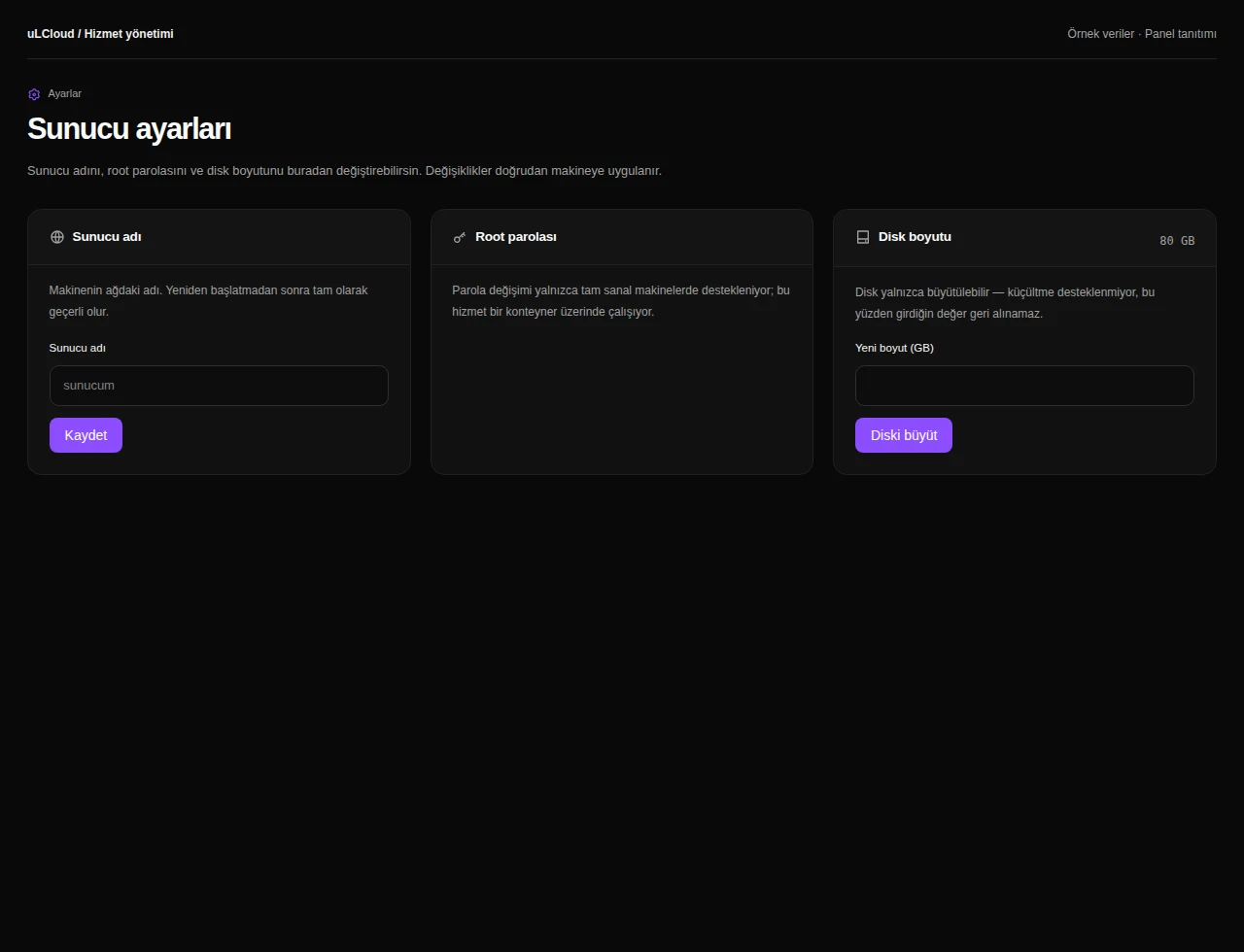
n8n Hosting — Server settings. Interface réelle · Données fictives · Fonctionnalités selon votre offre.
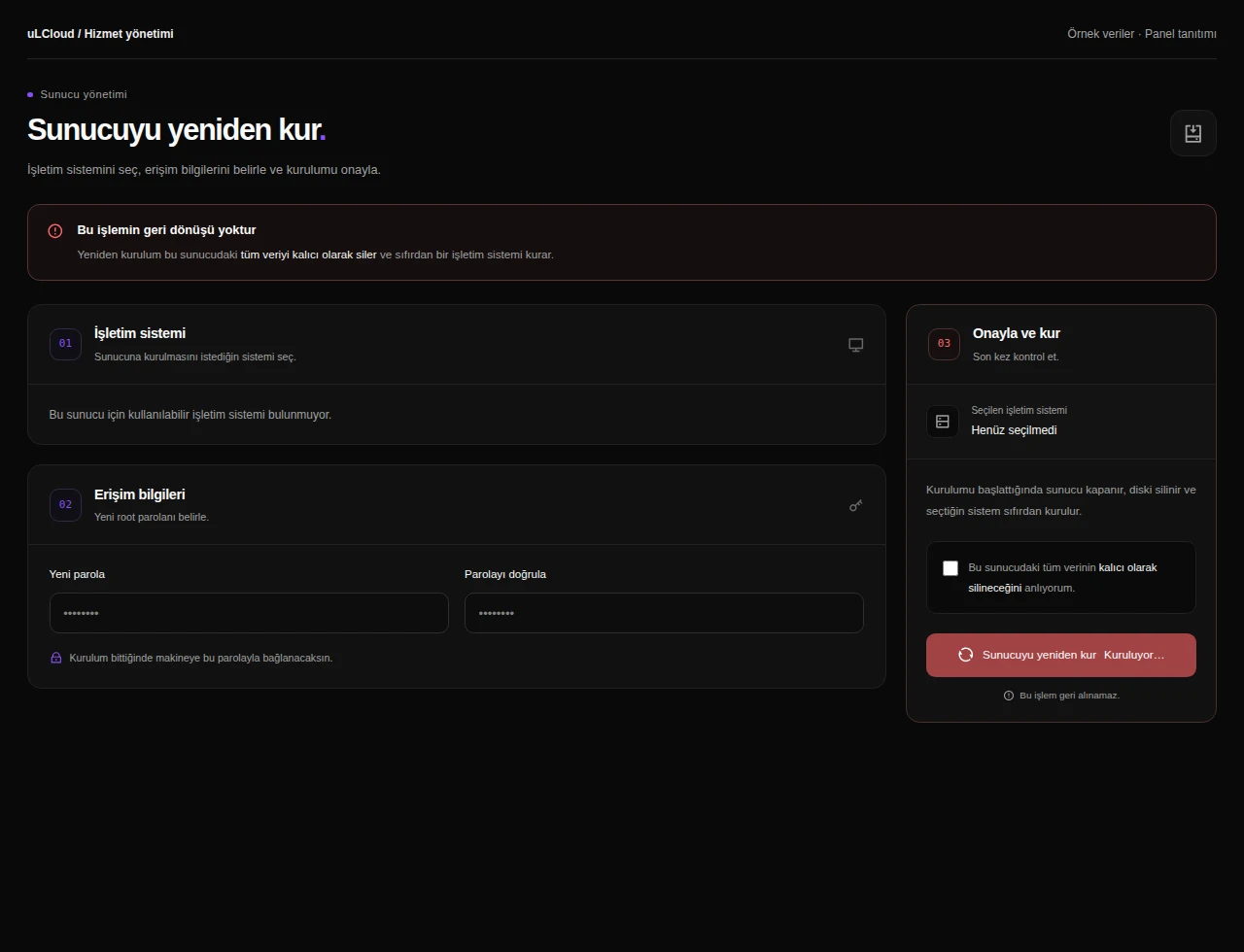
n8n Hosting — Reinstallation. Interface réelle · Données fictives · Fonctionnalités selon votre offre.
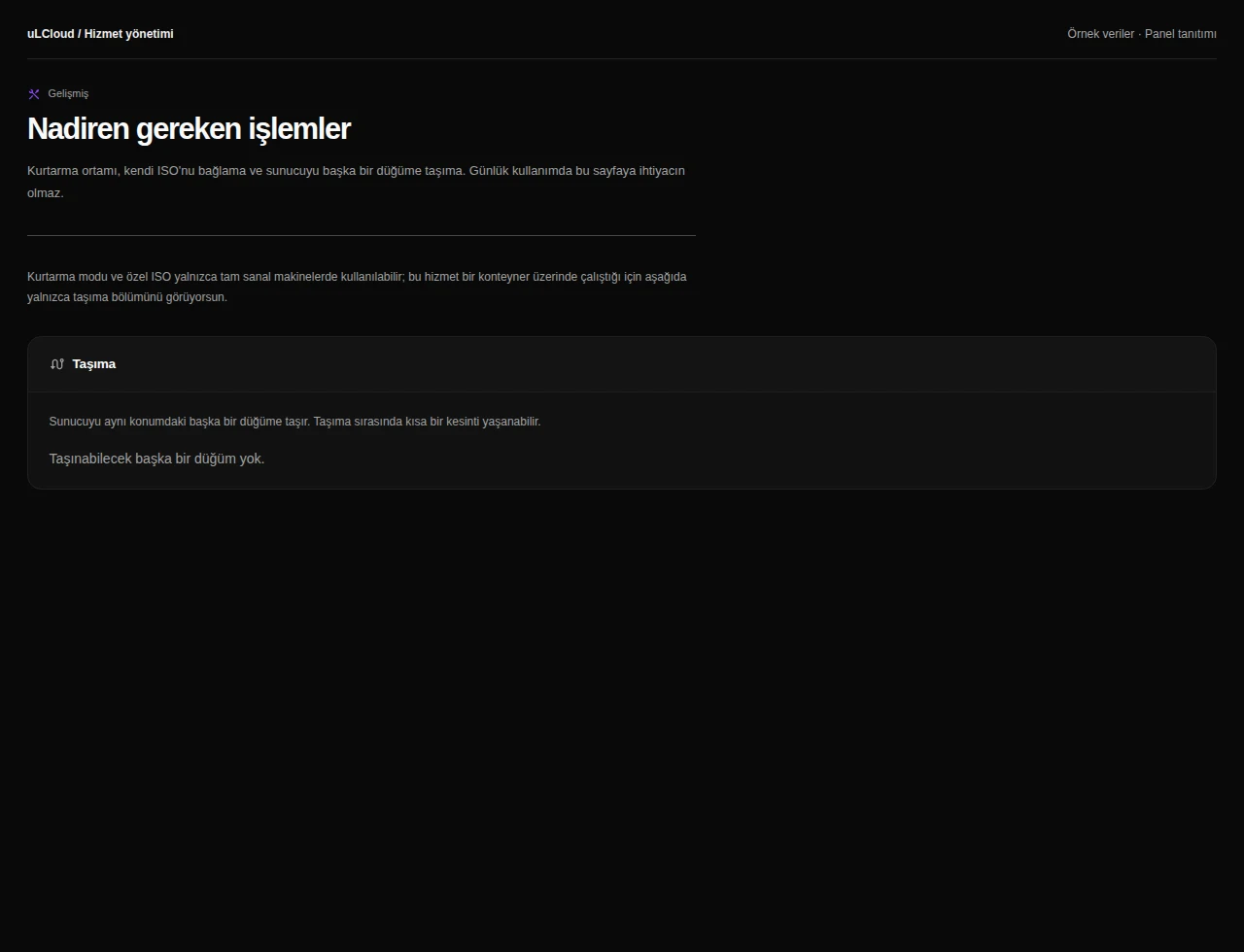
n8n Hosting — Advanced tools. Interface réelle · Données fictives · Fonctionnalités selon votre offre.
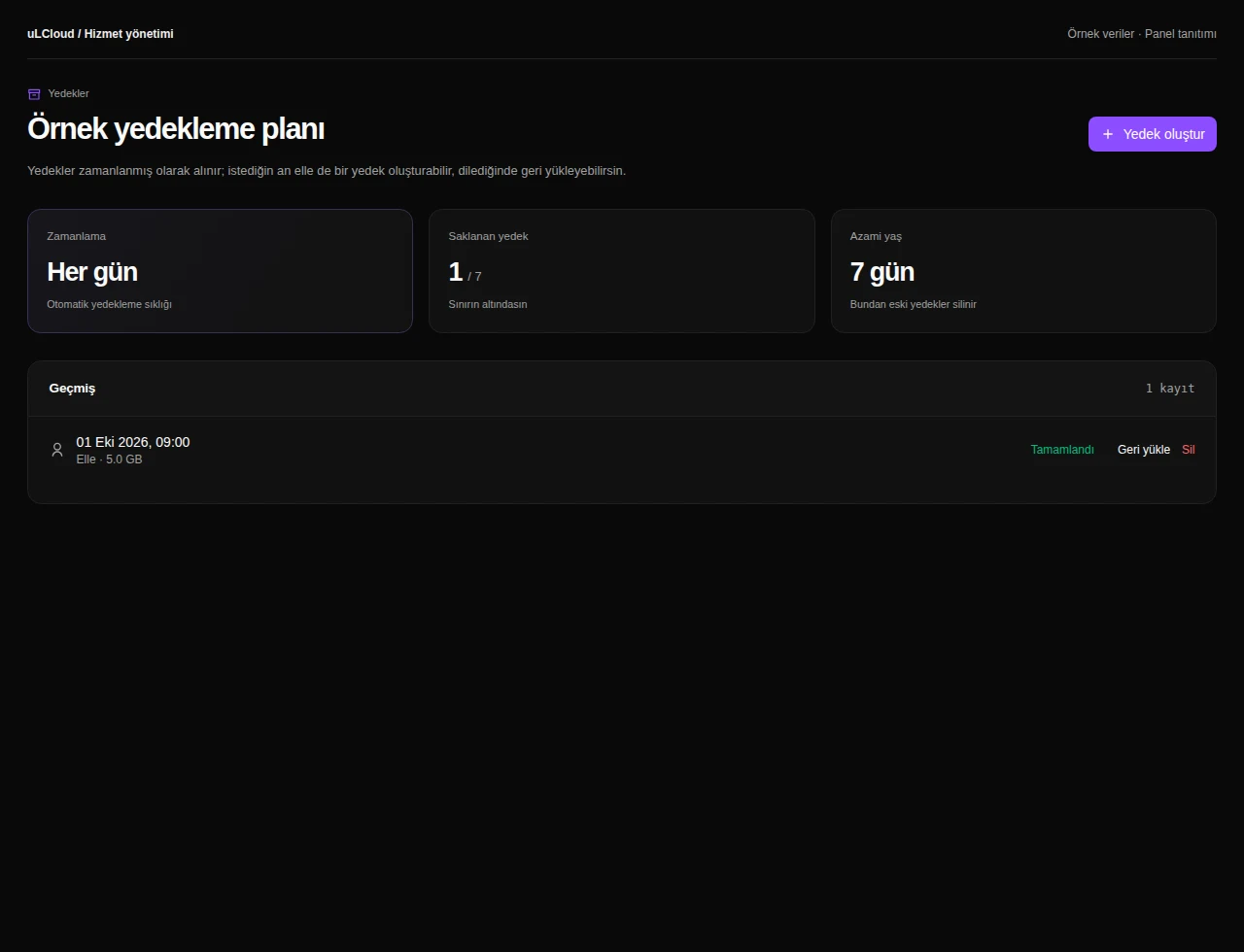
n8n Hosting — Sauvegardes. Interface réelle · Données fictives · Fonctionnalités selon votre offre.
n8n Hosting — Application packages. Interface réelle · Données fictives · Fonctionnalités selon votre offre.
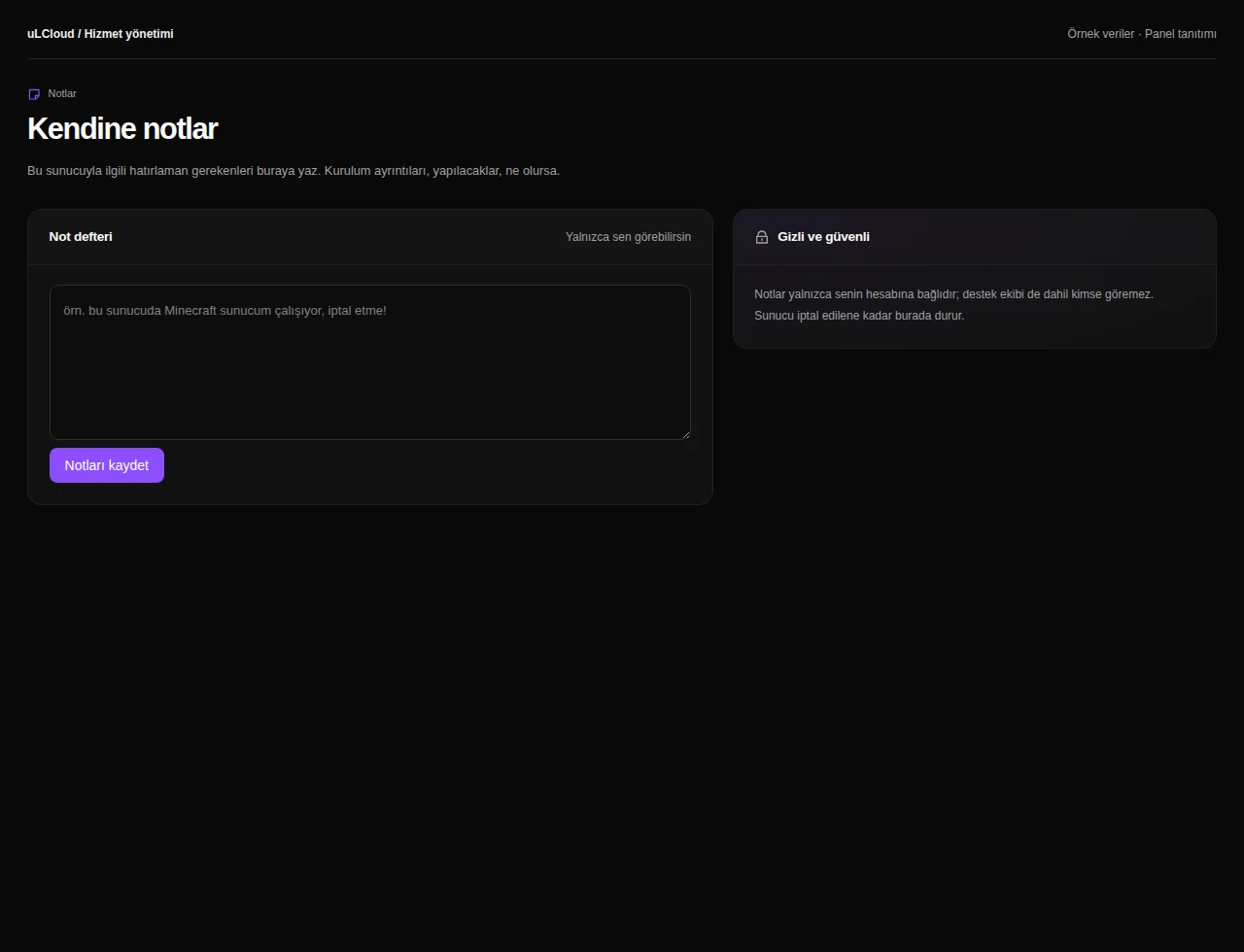
n8n Hosting — Server notes. Interface réelle · Données fictives · Fonctionnalités selon votre offre.

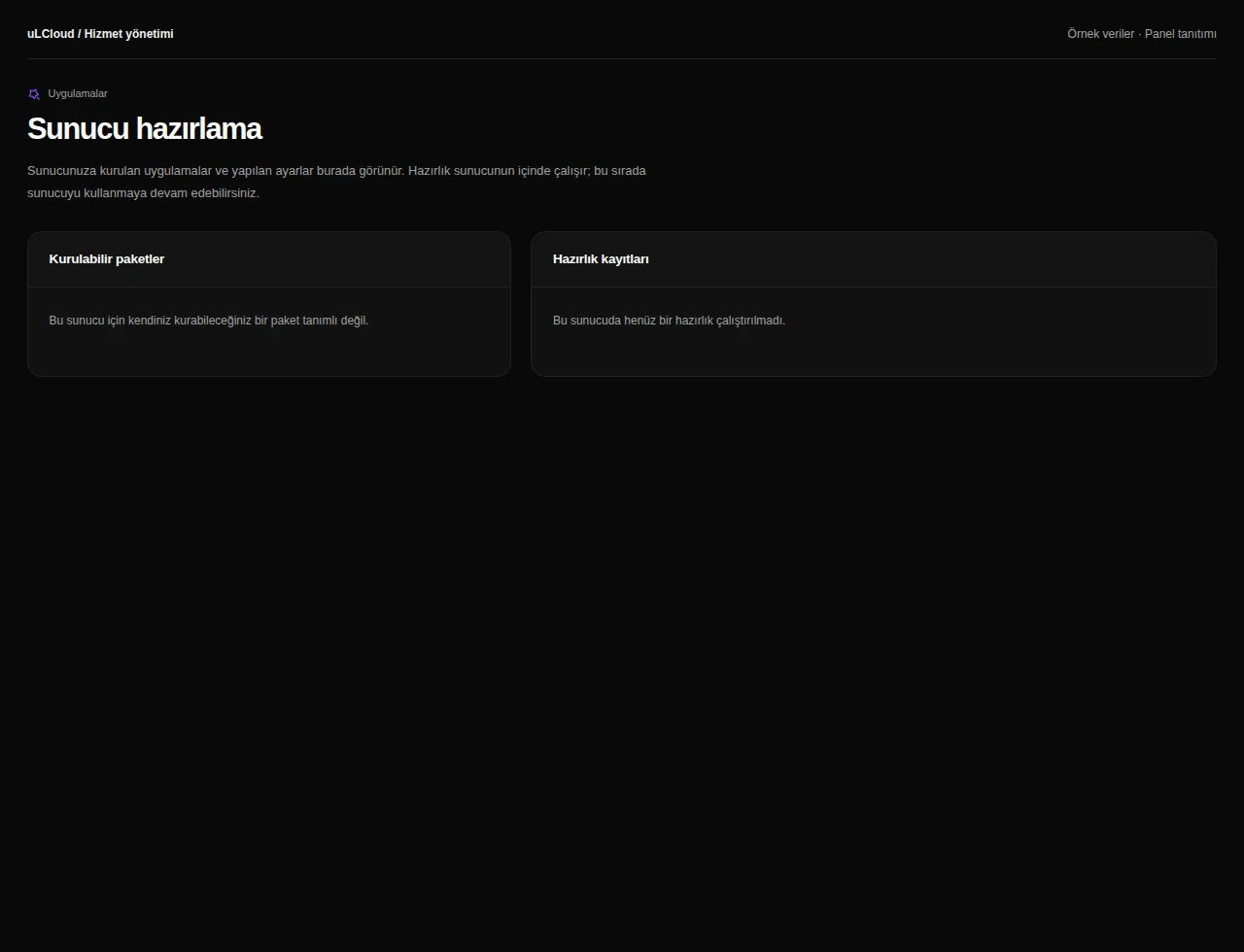
What can you do on this screen?

Centre d’automatisation

Review the n8n access address and installation status. Access application controls and maintenance tools; additional capabilities indicate their prerequisites on their own screens.

Galerie d’automatisation

Explore starter automations for your use case. Prepare an inactive copy, connect your own accounts and review the workflow before enabling it.

My workflows

Open listed workflows in n8n, where editing and detailed execution history remain available.

Diagnostics

Review application, database and access checks to identify which component may need attention.

Automation analytics

Review available execution outcomes and workflow statistics for the chosen period, based on data supplied by n8n.

Automation notifications

Review workflow monitoring and notification preferences. Automatic monitoring depends on enabled background services.

Domain and SSL

Follow domain connection and HTTPS setup, checking DNS and certificate requirements before considering access ready.

n8n backups

Review local backups and restore controls. Offsite copies require a separately configured and enabled destination.

n8n updates

Review update and maintenance controls, checking backups and planning any brief interruption beforehand.

Overview

Review server status, resource measurements, hardware, connection details and recent operations together.

Health checks

Request health checks, review connectivity and inspect the time and scope of the latest measurements.

Activity history

Follow installation, power, backup, migration and resource operations in a shared timeline with progress and results.

Backup integrity

Review backup schedules and retention, and request archive integrity checks on supported storage. Integrity checks do not replace restore tests.

Capacity analysis

Review disk growth and recurring CPU load, with forecasts and recommendations when sufficient measurement history is available.

Plan upgrade

Review capacity needs and available upgrades. The billing-period price difference is shown before approval, and changes can be followed in the activity history.

Alimentation

Review server power status and uptime. Access start, shutdown, restart and scheduled restart controls in the same screen.

Browser console

Use the graphical console or terminal on supported servers, including when guest networking or SSH needs attention.

Statistics

Compare CPU, memory and network history across hourly, daily, weekly and monthly views, including average and peak values.

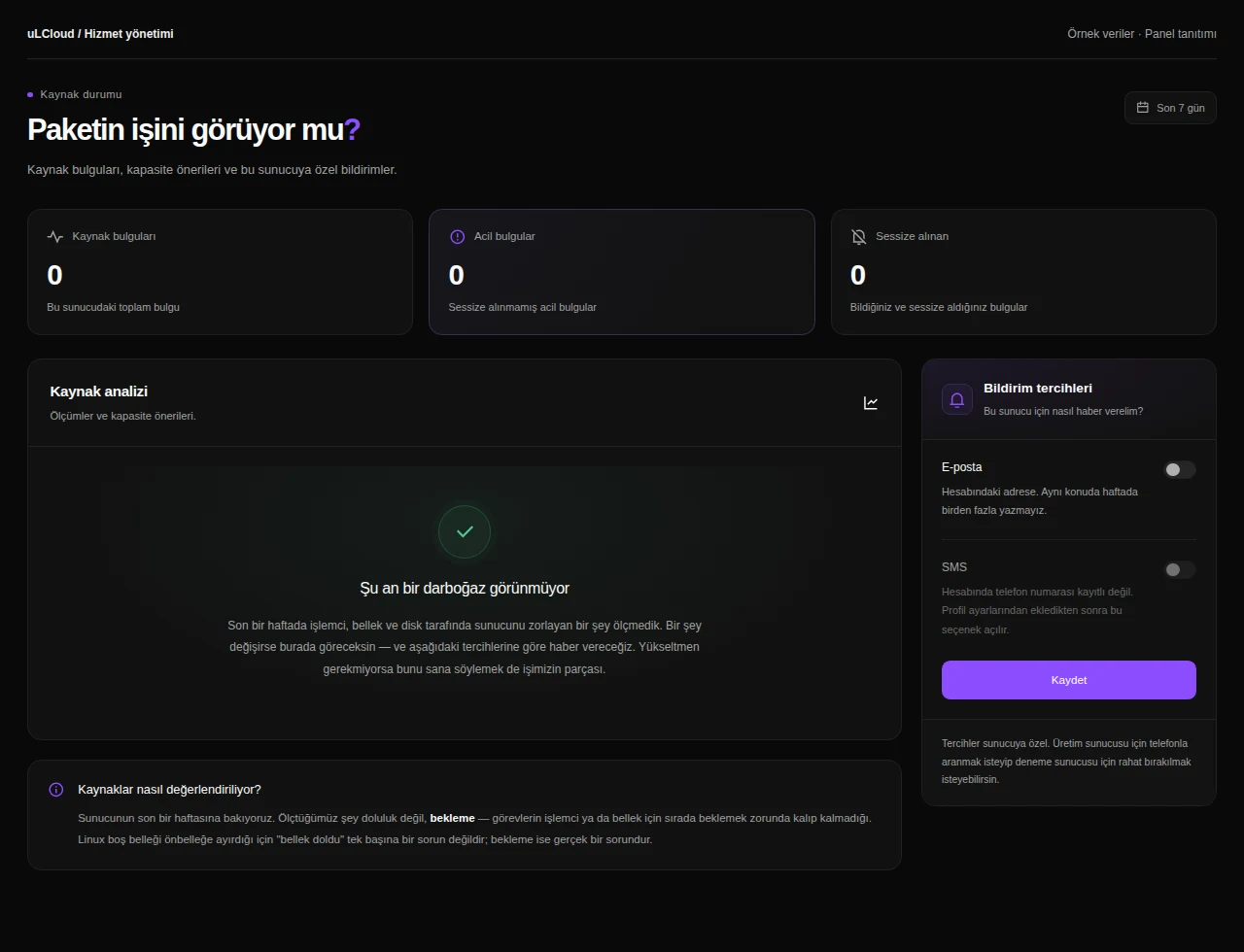
État des ressources

Inspect resource findings and capacity recommendations. Assess CPU, memory and storage needs and configure the available notification preferences.

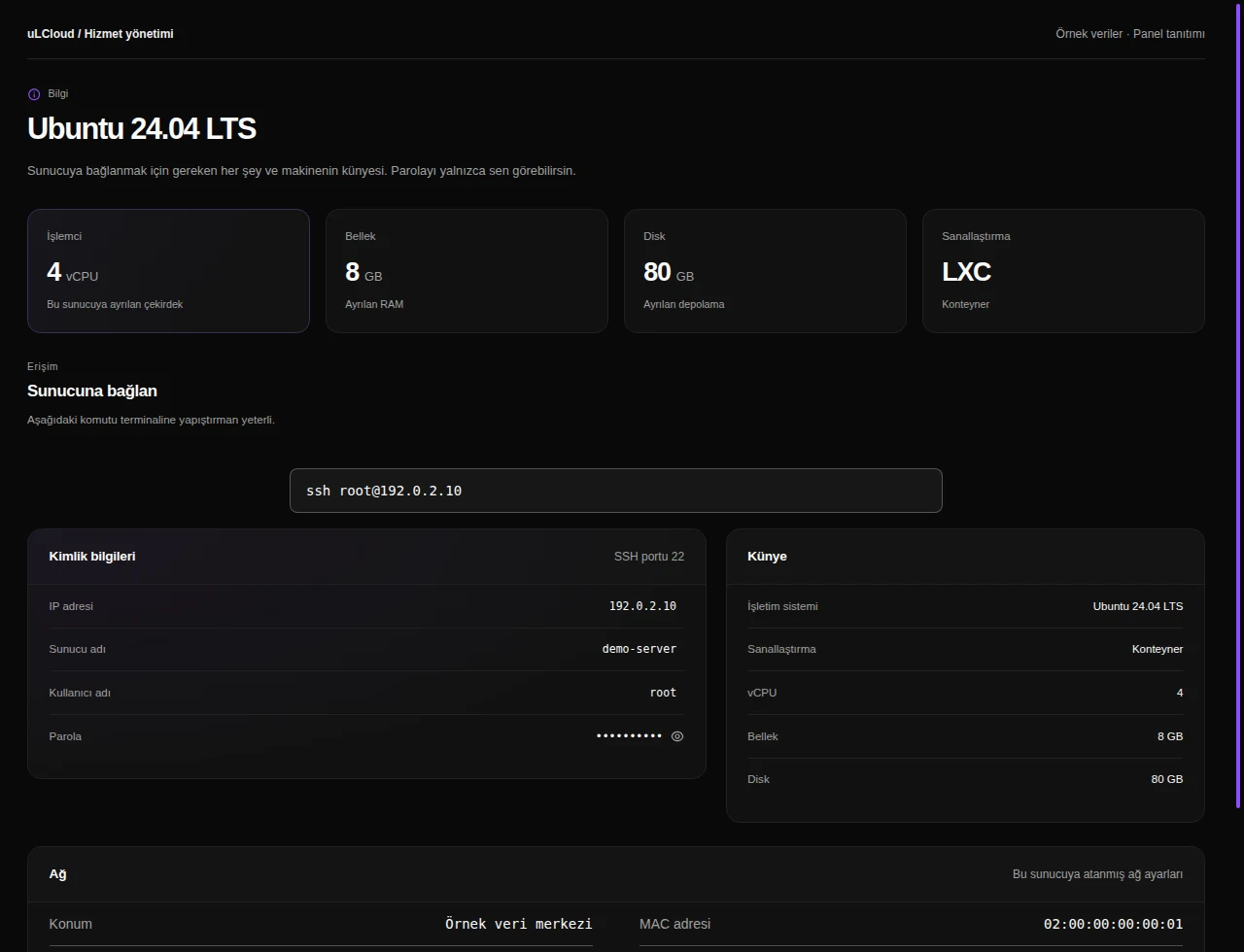
Server information

Find hostname, addresses, OS, allocated resources and network settings, with protected controls for access information.

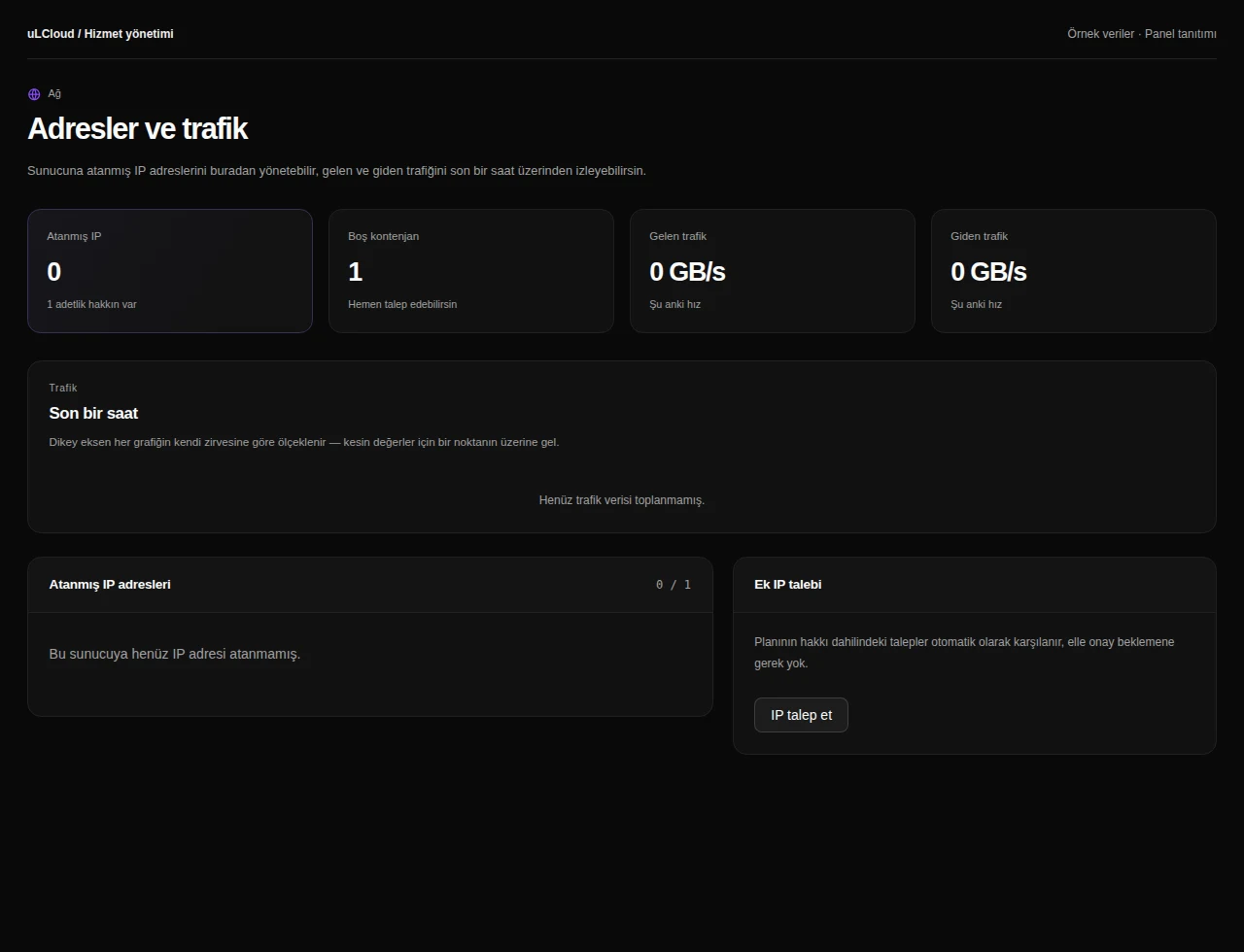
Networking

Review assigned addresses, IP entitlement and traffic. Private networking controls depend on service support.

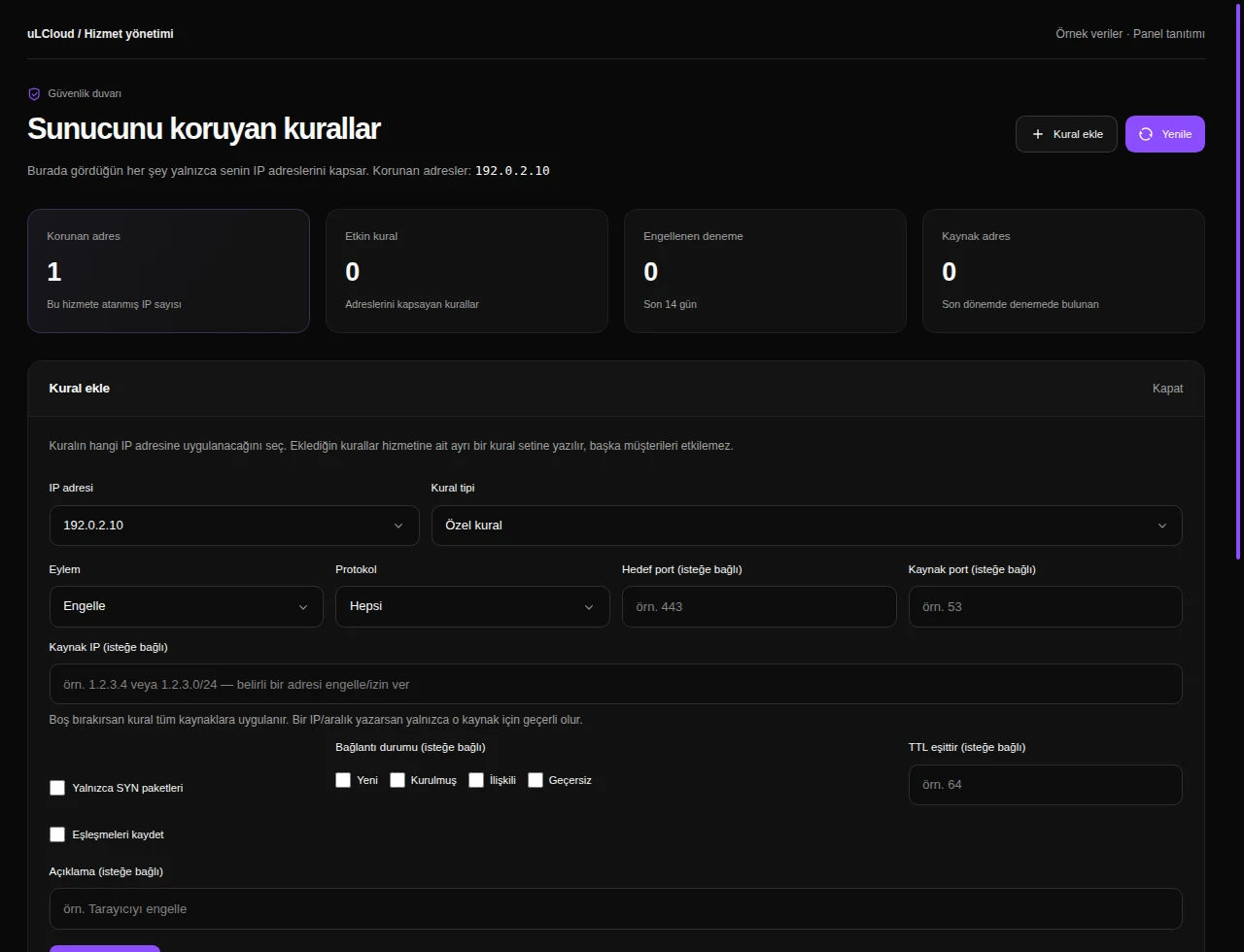
Firewall

Manage protocol, port and protection rules, and inspect blocked attempts scoped to your service addresses.

Server settings

Review available system and resource settings, with explanations of any required restart or operating-system steps.

Reinstallation

Choose an available operating system and installation settings. Data-affecting reinstallation requires the panel’s confirmation steps.

Advanced tools

Review recovery, ISO and node options where supported by the server type and infrastructure.

Sauvegardes

Review the backup plan, retention limits and saved backups available for your service. Where supported, create a backup, track progress or select a restore point.

Application packages

Explore available application packages and follow provisioning through installation records.

Server notes

Keep maintenance reminders and configuration notes alongside your service without executing server commands.

n8n Hosting

Avant de commencer.

Talk to our team

Le profil de préparation installe n8n et Caddy. Une fois terminé, créez votre compte n8n via le lien d’accès du panel.

Configurez vos comptes et identifiants API dans n8n. Les abonnements et frais des services tiers ne sont pas inclus dans le prix du serveur.

Les modèles sont ajoutés inactifs. Configurez les connexions, testez avec des exemples, puis activez chaque workflow.

Les sauvegardes locales restent sur le même serveur. Les sauvegardes externes nécessitent une destination configurée séparément et une activation.

n8n / uLCloud

Transformez vos idées en workflows.

Choisissez un serveur. Créez votre premier workflow à votre façon.
Configurer mon serveur
Sorularınızmı var ? Bizim ile iletişime geçin.