WEB HOSTING

Enterprise Web Hosting for Multiple Sites

Built for agencies and growing teams that host several sites under one account, with files, databases, mailboxes and WordPress installs managed from the same panel.

₺299,00 / Aylık

Card instalments available

Illustrative interface
Websites
25 websites
Disk
50 GB NVMe
Mailboxes
200 mailboxes
Databases
50 databases

Web Hosting

Plan features

For agencies hosting multiple sites and growing teams.

Disk

50 GB NVMe

Monthly traffic

Fair use

Email

200 mailboxes

Database

50 databases

Website

25 websites

You can customise these options during checkout.

Web Hosting

Other plans in Web Hosting

Starter

₺79,00 / Aylık
Websites
1 website
Disk
5 GB NVMe
Mailboxes
10 mailboxes
Databases
5 databases
View plan

Professional

₺149,00 / Aylık
Websites
5 websites
Disk
20 GB NVMe
Mailboxes
50 mailboxes
Databases
25 databases
View plan

EXPLORE YOUR PANEL BEFORE BUYING

Web Hosting, in your own panel.

Take a closer look at the management screens you will use. These images were rendered from our existing customer panel templates.

All panel screens 14
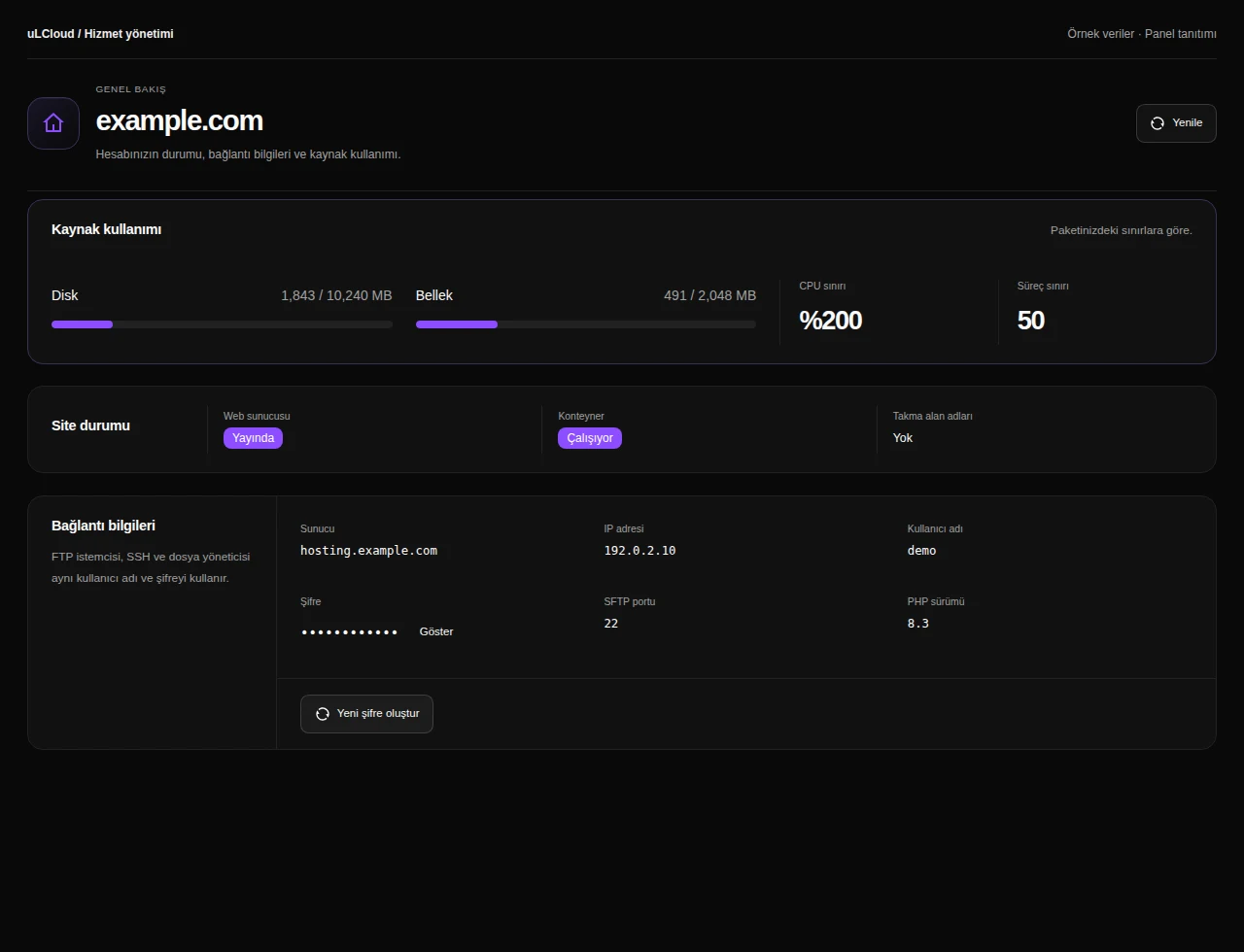
uLCloud / Panel preview01 / 14
Web Hosting — Hosting management. Actual panel design · Sample data · Available features depend on your plan.
Web Hosting — Website files. Actual panel design · Sample data · Available features depend on your plan.
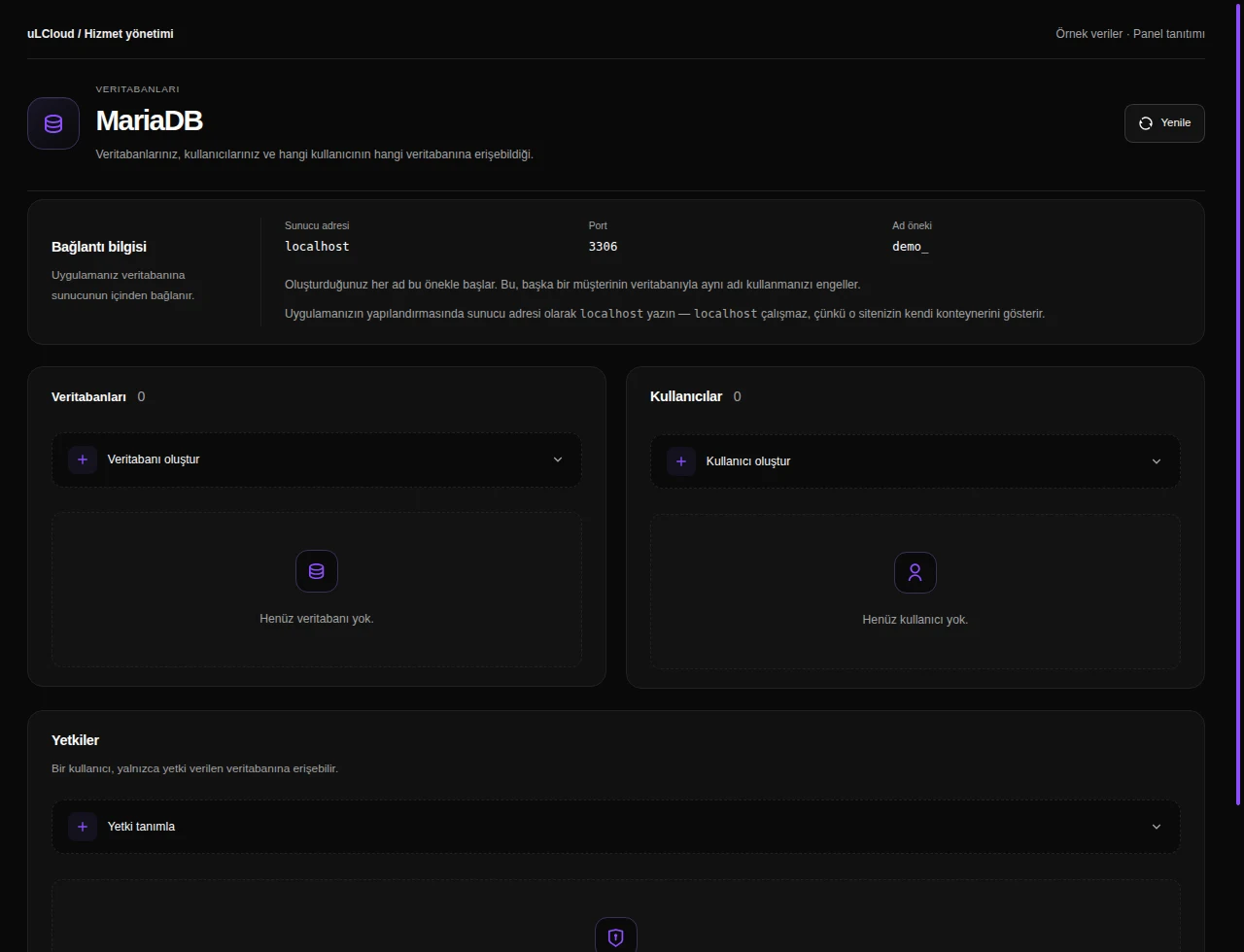
Web Hosting — Databases. Actual panel design · Sample data · Available features depend on your plan.
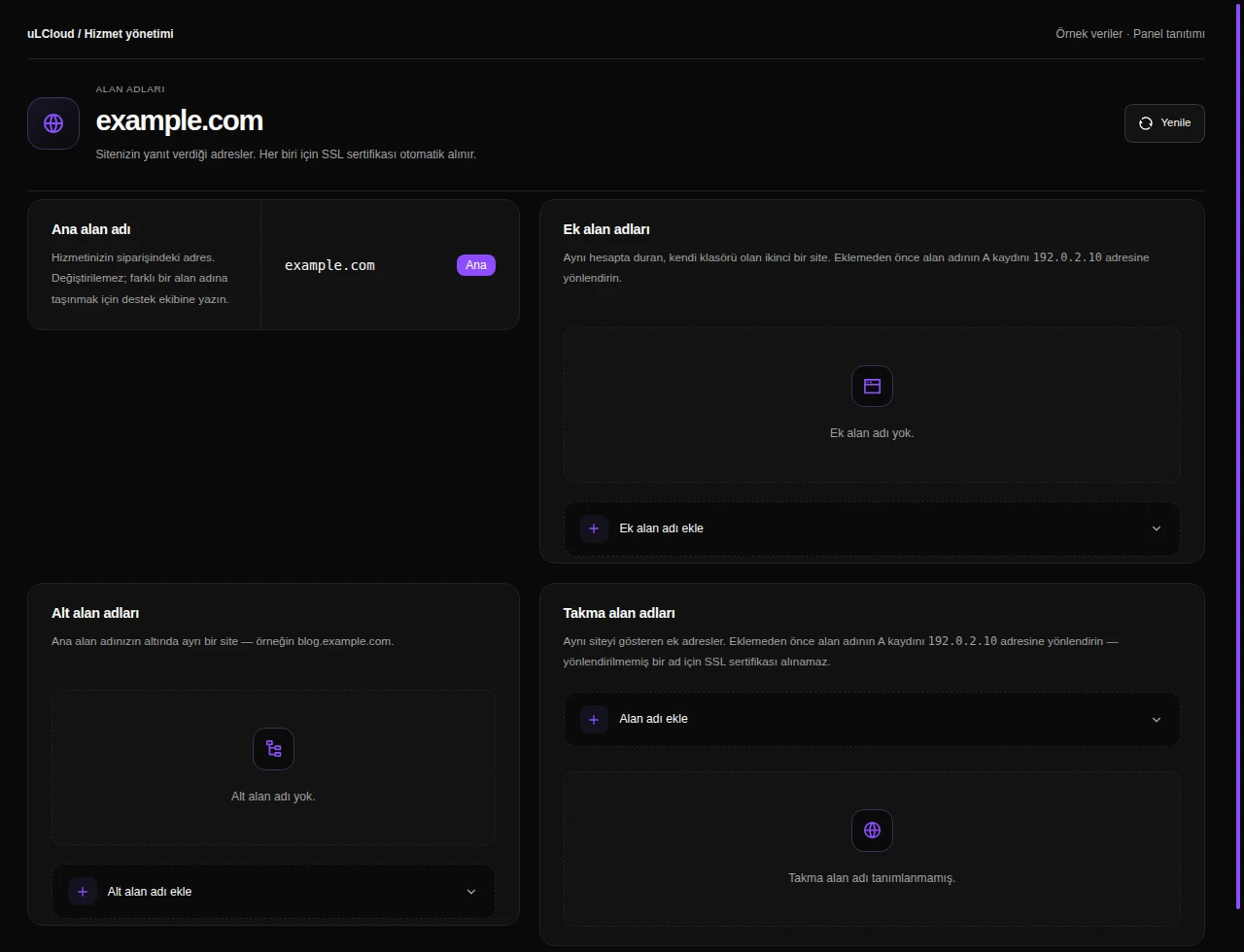
Web Hosting — Domains. Actual panel design · Sample data · Available features depend on your plan.
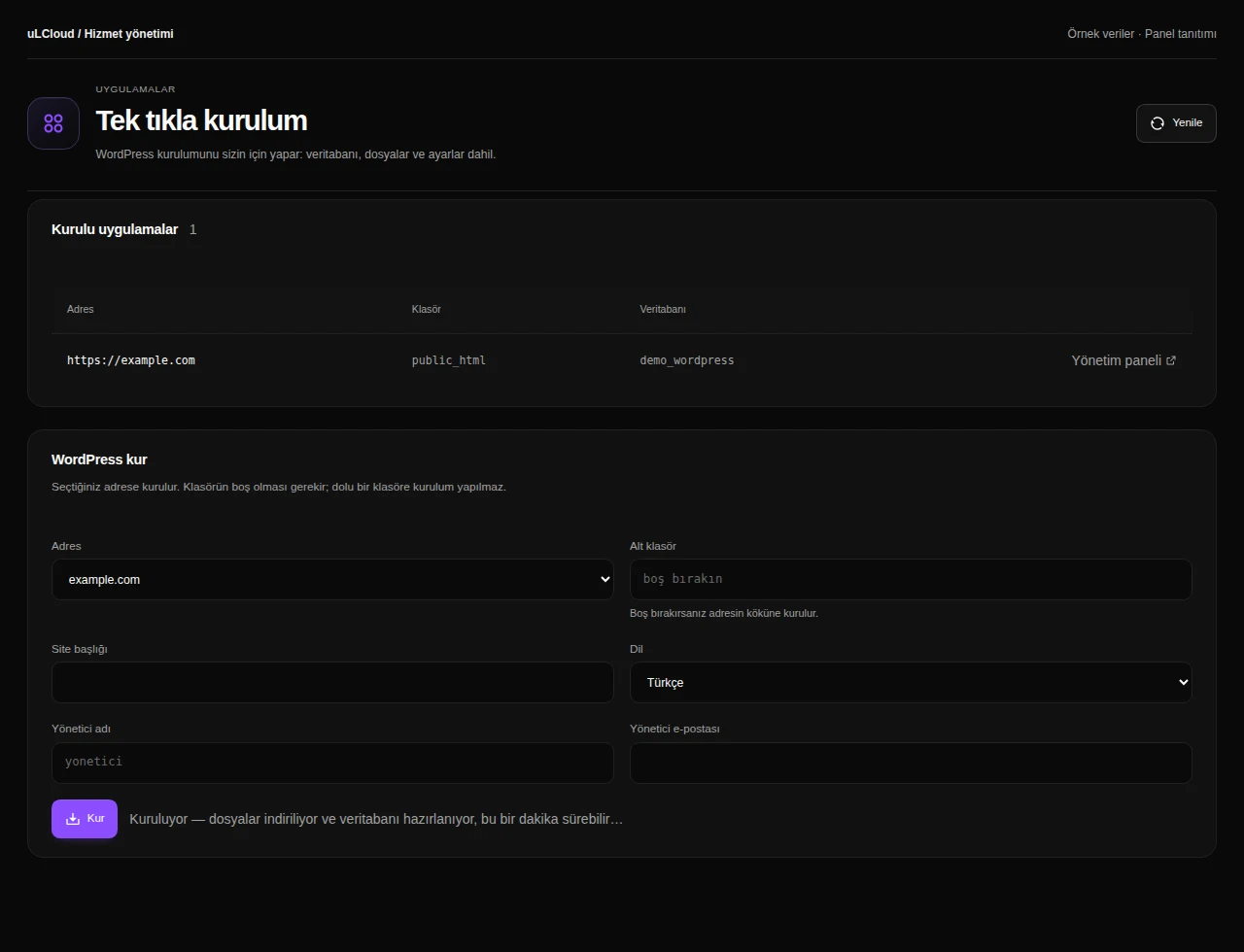
Web Hosting — WordPress installation. Actual panel design · Sample data · Available features depend on your plan.
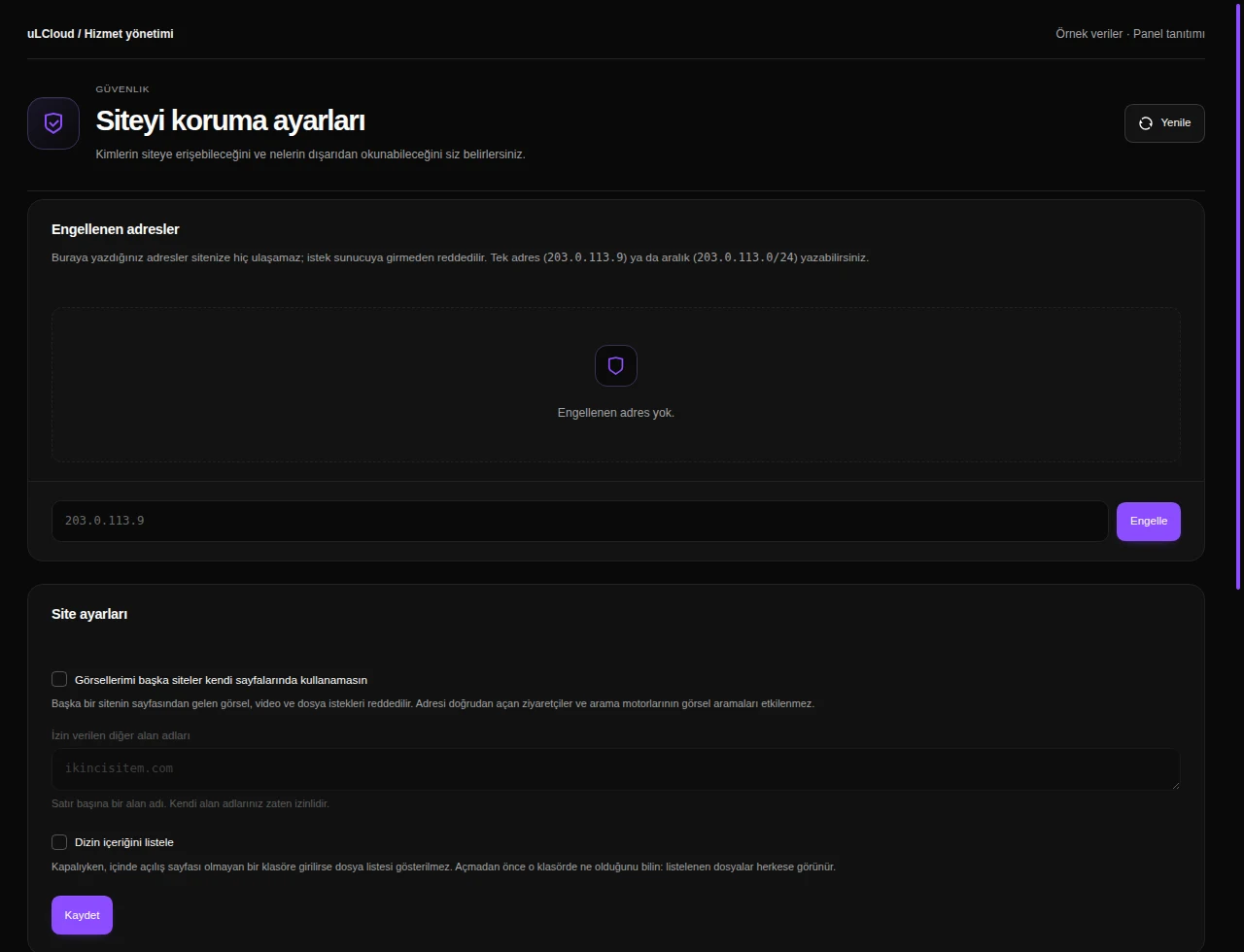
Web Hosting — Website security. Actual panel design · Sample data · Available features depend on your plan.
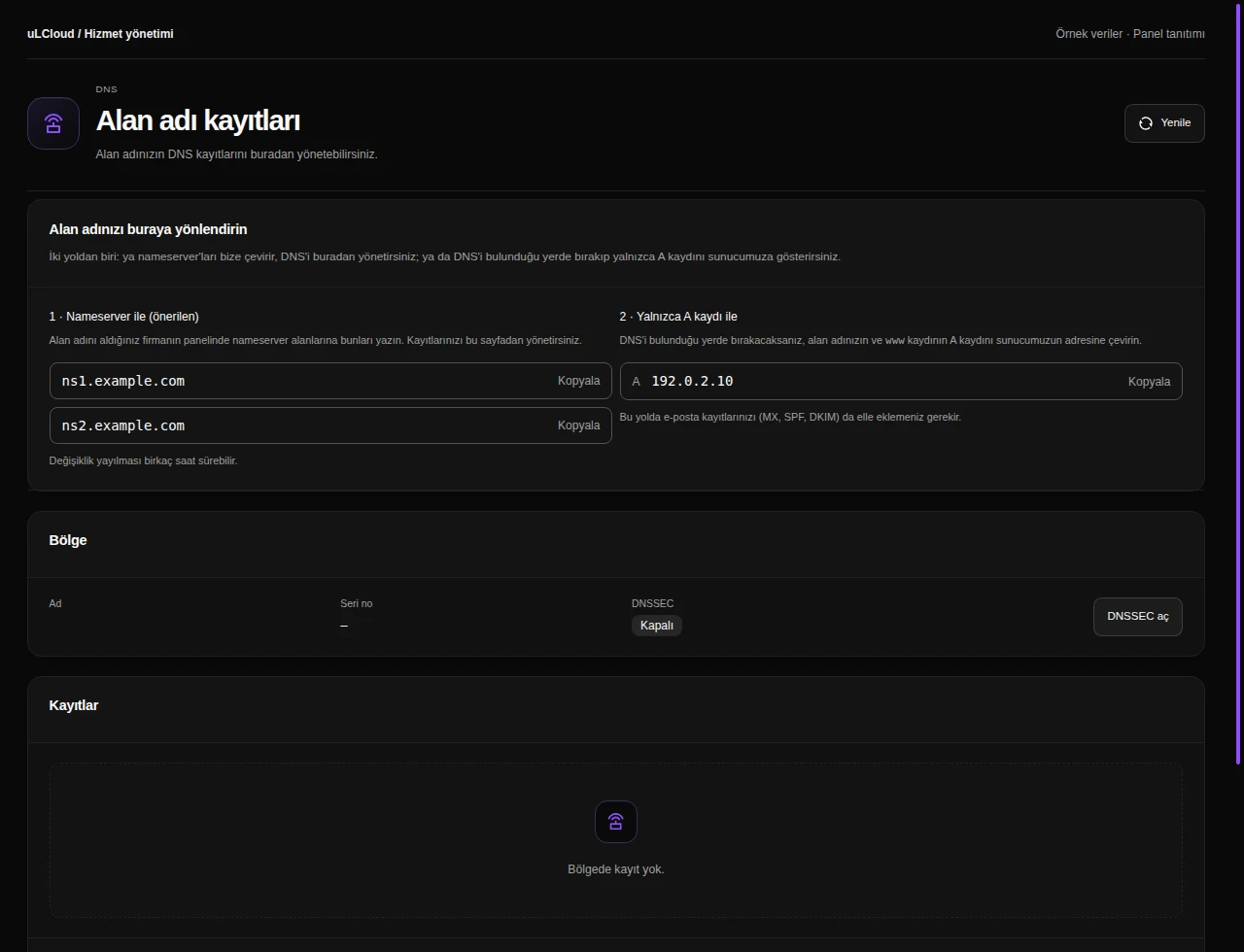
Web Hosting — DNS records. Actual panel design · Sample data · Available features depend on your plan.
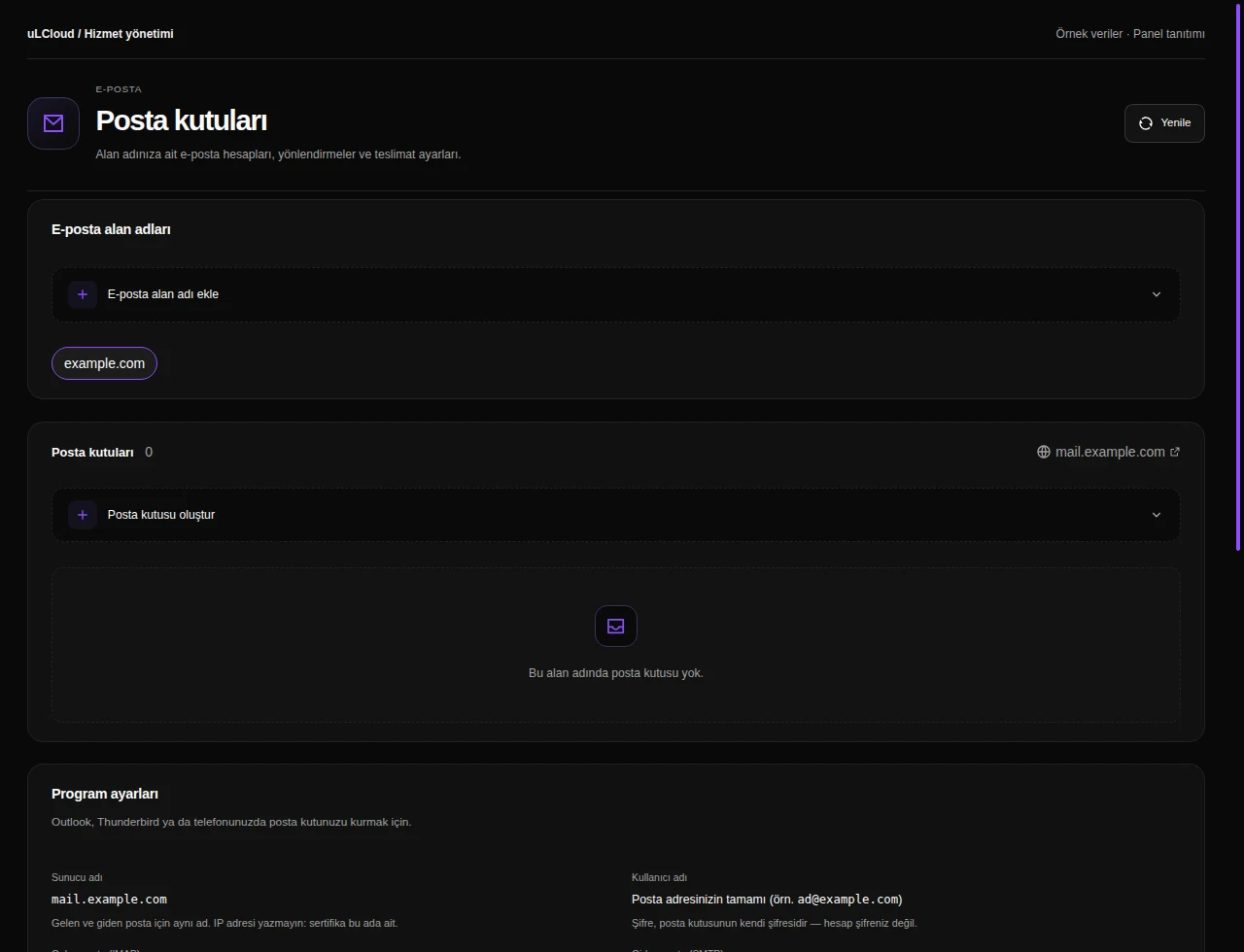
Web Hosting — Mailboxes. Actual panel design · Sample data · Available features depend on your plan.
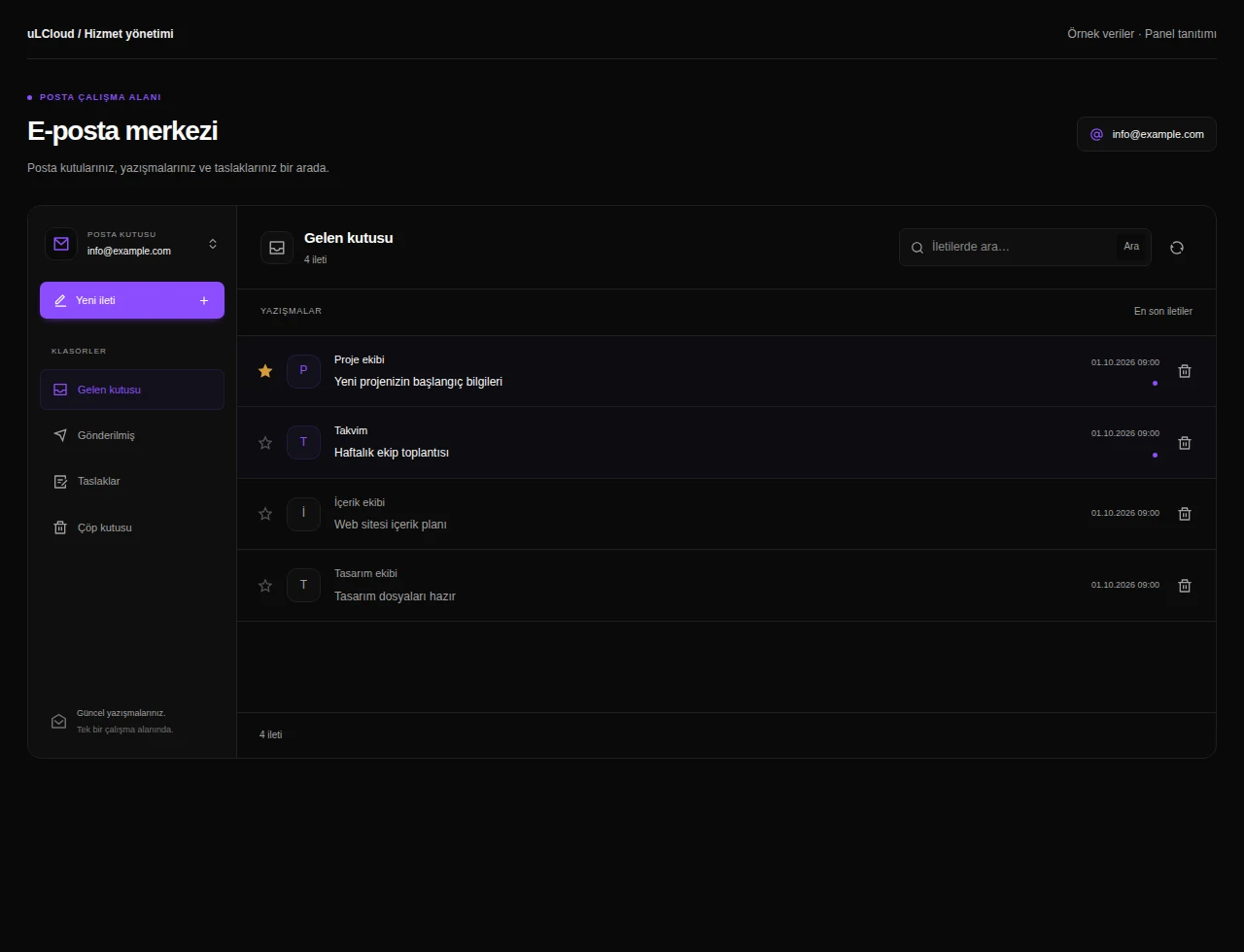
Web Hosting — Inbox. Actual panel design · Sample data · Available features depend on your plan.
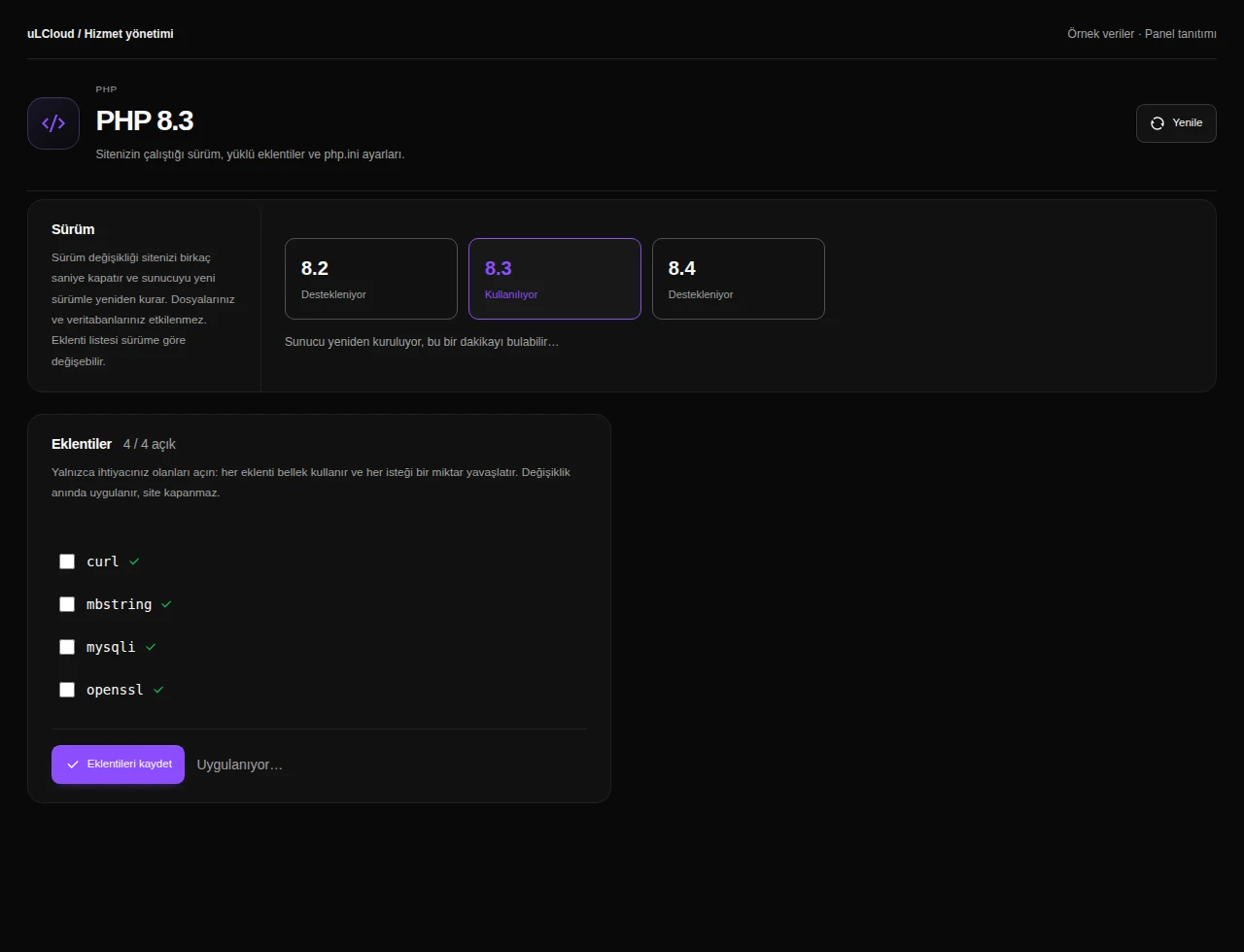
Web Hosting — PHP management. Actual panel design · Sample data · Available features depend on your plan.
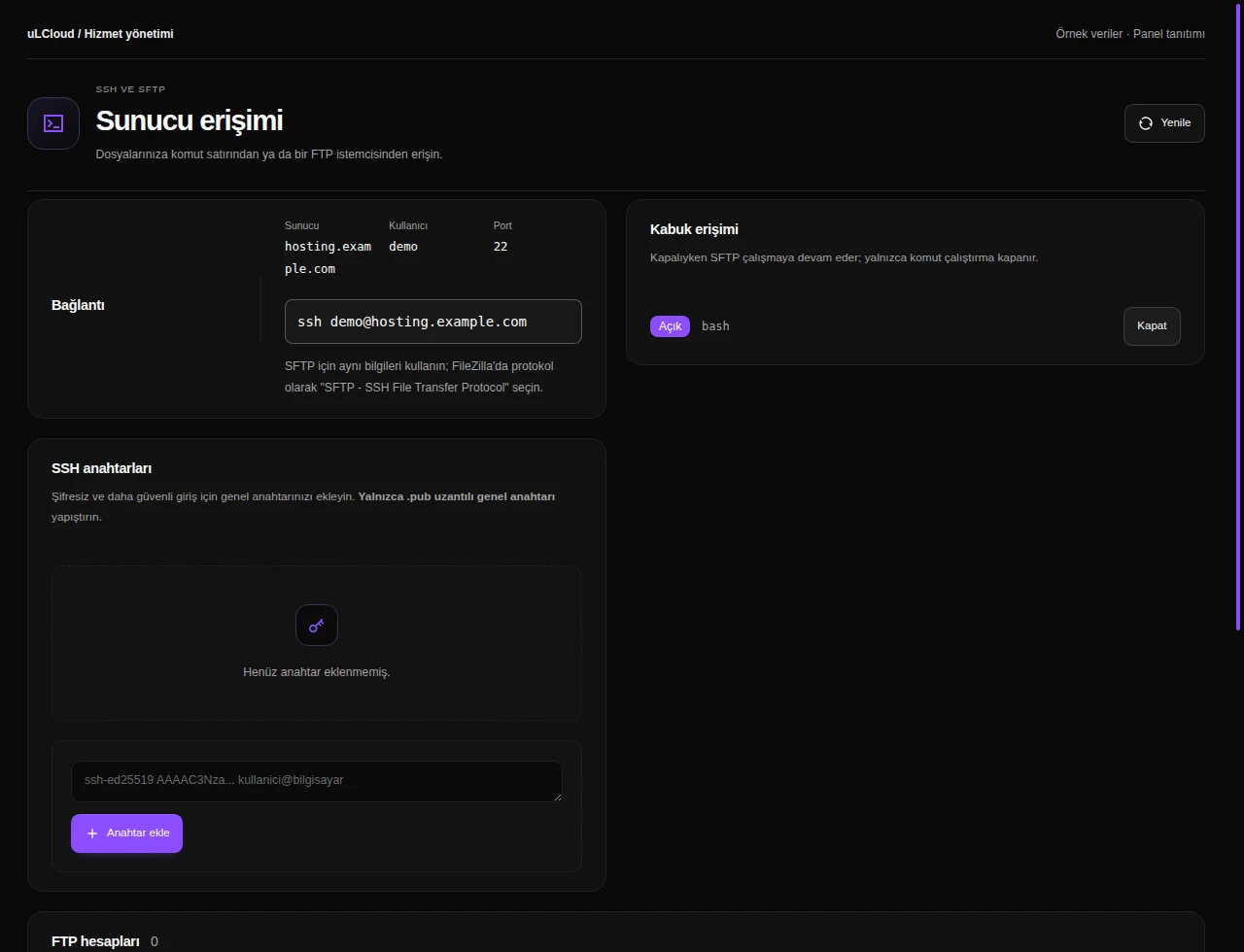
Web Hosting — FTP, SSH and SFTP. Actual panel design · Sample data · Available features depend on your plan.
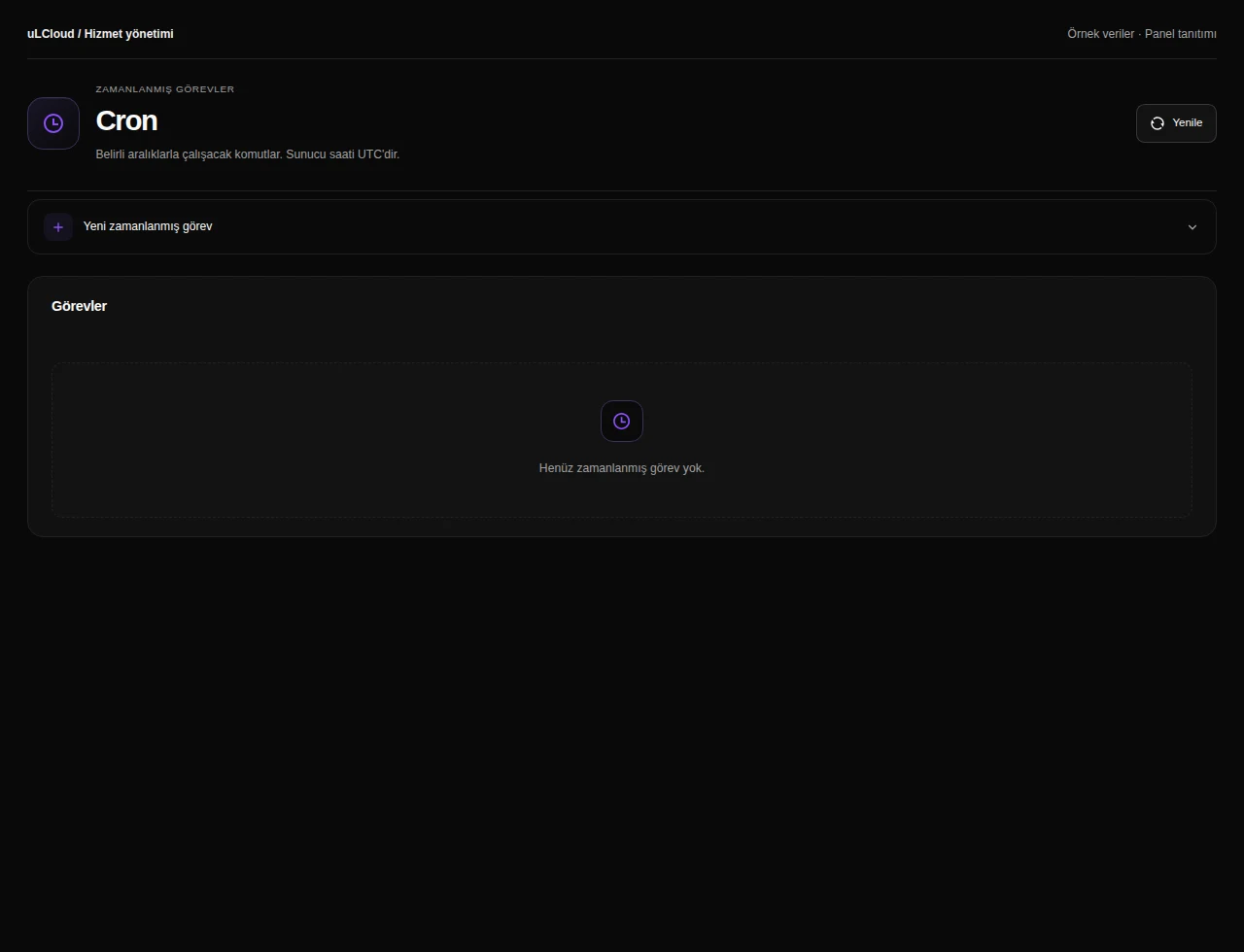
Web Hosting — Scheduled tasks. Actual panel design · Sample data · Available features depend on your plan.
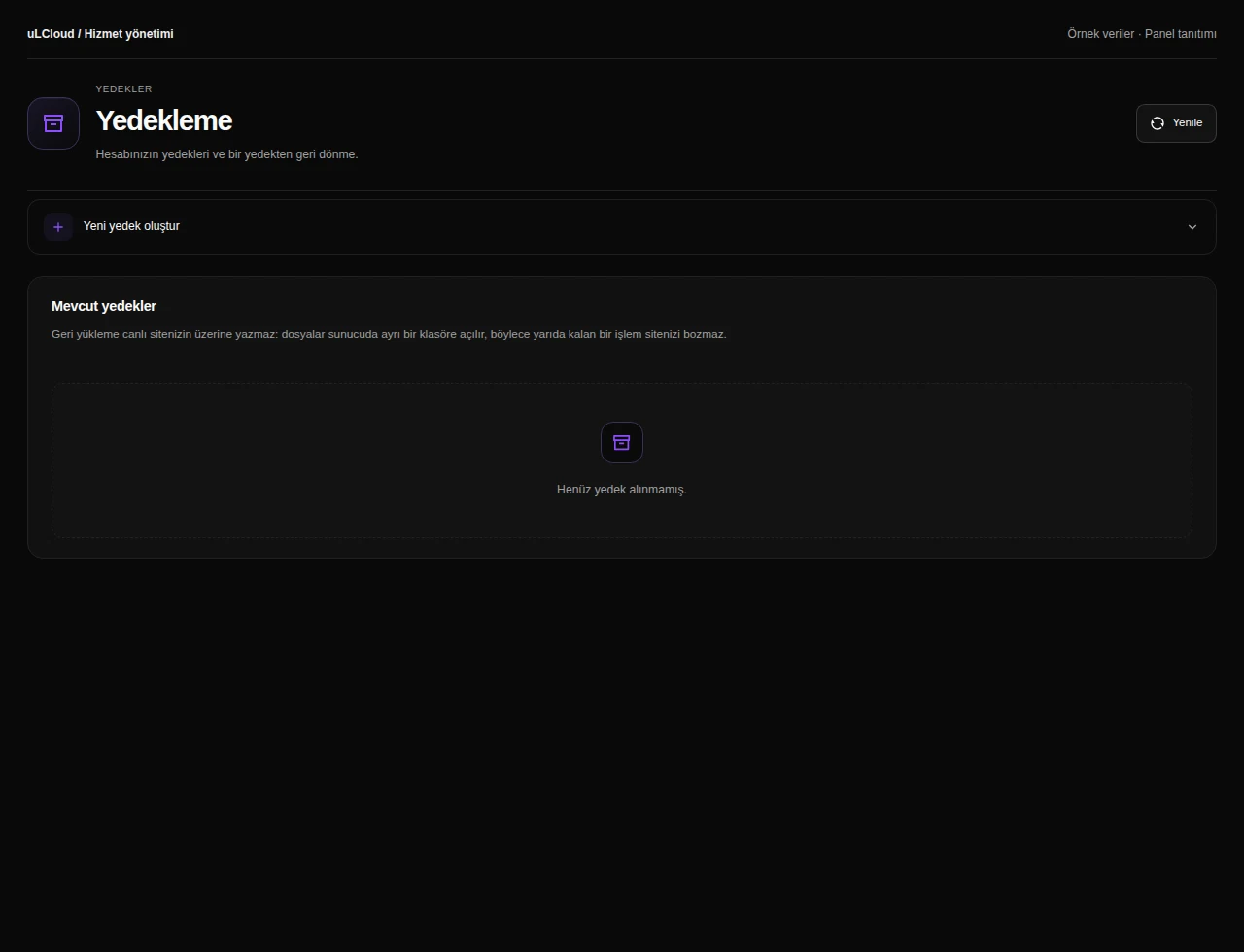
Web Hosting — Hosting backups. Actual panel design · Sample data · Available features depend on your plan.
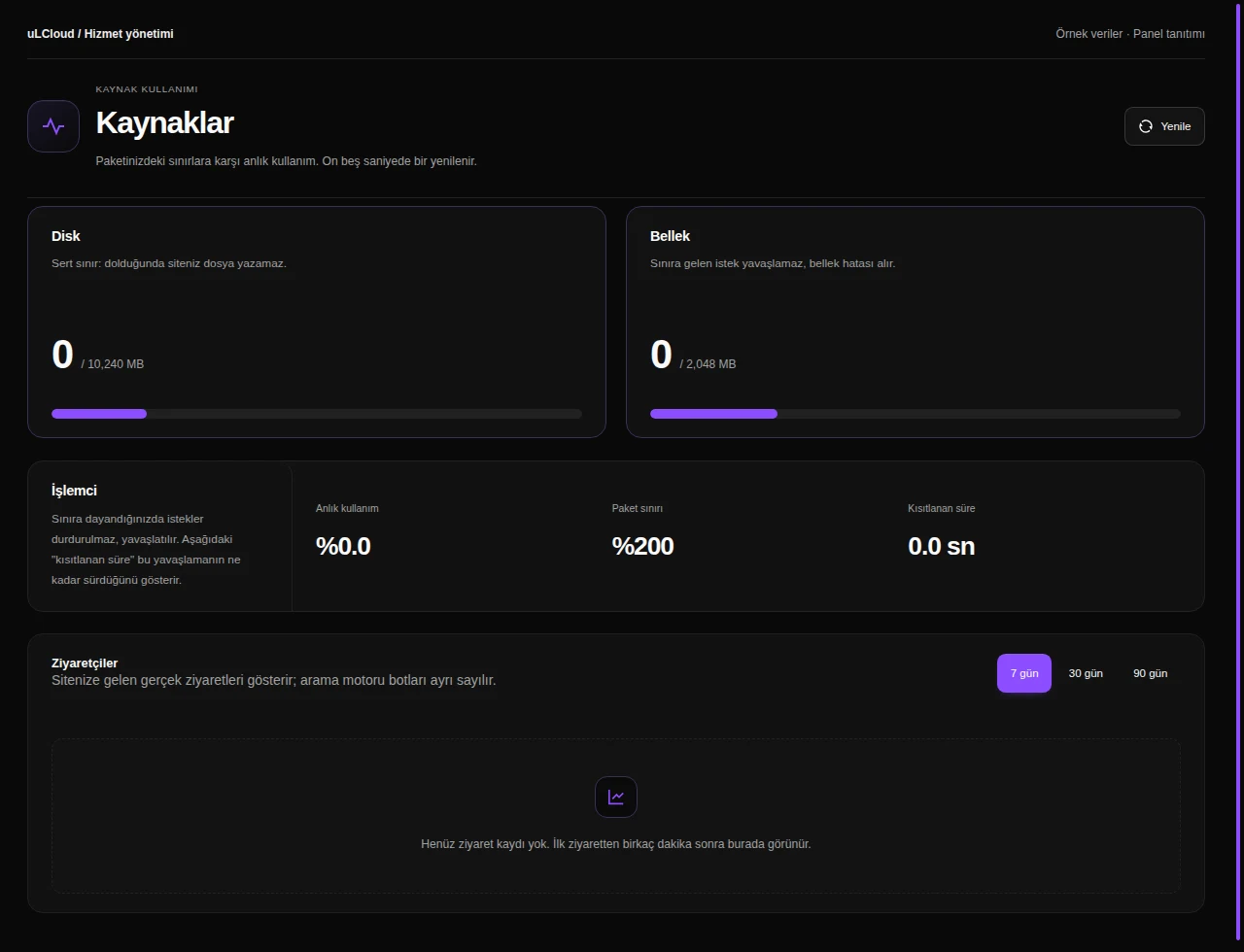
Web Hosting — Resource usage. Actual panel design · Sample data · Available features depend on your plan.

What can you do on this screen?

Hosting management

Review account status and resource use together. Find your domain, connection information and web features enabled for your plan.

Website files

Browse directories and use upload, editing, archive and recovery tools while checking paths and operation warnings.

Databases

Create databases and users, manage grants and find connection host, port and account prefix details.

Domains

Manage primary, additional, subdomain and alias addresses, with DNS pointing configured separately where necessary.

WordPress installation

Review existing WordPress installations and admin links. Choose the domain and installation details for a new site, then access it from the same list.

Website security

Manage IP blocks, password-protected directories and hotlink protection alongside your application’s own security maintenance.

DNS records

Manage supported DNS record types and review nameserver information, allowing for propagation after changes.

Mailboxes

Create domain mailboxes and aliases, and review spam settings, connection details and required DNS records.

Inbox

Select a mailbox and browse its folders and messages. Read emails, compose new messages and manage correspondence from the hosting panel.

PHP management

Select a supported PHP version, extensions and settings, noting the brief interruption a version change may require.

FTP, SSH and SFTP

Find connection details and manage supported SSH keys and FTP accounts according to plan permissions.

Scheduled tasks

Schedule recurring application commands with cron expressions and inspect the available execution information.

Hosting backups

Review available backup types and archives, including extraction locations and restoration guidance for your plan.

Resource usage

Compare disk, memory and CPU usage with plan limits and review available traffic information on web plans.

Sorularınızmı var ? Bizim ile iletişime geçin.