WORDPRESS HOSTING

WordPress hosting for blogs, business sites and shops

Install WordPress from the panel in one click — database, admin account and free SSL come ready. Updates stay in your hands; the backup runs nightly.

Starting at₺119,00 / Aylık

Illustrative animation
Websites
1 WordPress – 10 WordPress
Disk
10 GB NVMe – 75 GB NVMe
Backups
Nightly backup
Mailboxes
10 mailboxes – 200 mailboxes

WORDPRESS HOSTING

Make room for your content

A blog, business website or shop. Let your WordPress project determine the resources.

01

Design

Plan the theme and page layout around your project.

02

Create

Choose storage for your growing media library.

03

Publish

Consider website counts alongside the listed backup features.

WORDPRESS HOSTING

A plan for your next website

Compare the resources and prices of the available plans.

WP Start

For a single WordPress site, blog or landing page.

₺119,00 / Aylık
Websites
1 WordPress
Disk
10 GB NVMe
Backups
Nightly backup
Mailboxes
10 mailboxes
Bandwidth
Fair use
View plan
Most chosen

WP Pro

For visited sites; enough resources for WooCommerce stores.

₺229,00 / Aylık
Websites
3 WordPress
Disk
30 GB NVMe
Backups
Nightly backup
Mailboxes
50 mailboxes
Bandwidth
Fair use
View plan

WP Business

For high traffic and multiple WordPress sites.

₺449,00 / Aylık
Websites
10 WordPress
Disk
75 GB NVMe
Backups
Nightly backup
Mailboxes
200 mailboxes
Bandwidth
Fair use
View plan

Plan features

Compare every detail

Plan features WP Start WP Pro WP Business
Websites 1 WordPress 3 WordPress 10 WordPress
Disk 10 GB NVMe 30 GB NVMe 75 GB NVMe
Backups Nightly backup Nightly backup Nightly backup
Mailboxes 10 mailboxes 50 mailboxes 200 mailboxes
Bandwidth Fair use Fair use Fair use

EXPLORE YOUR PANEL BEFORE BUYING

WordPress Hosting, in your own panel.

Take a closer look at the management screens you will use. These images were rendered from our existing customer panel templates.

All panel screens 14
uLCloud / Panel preview01 / 14
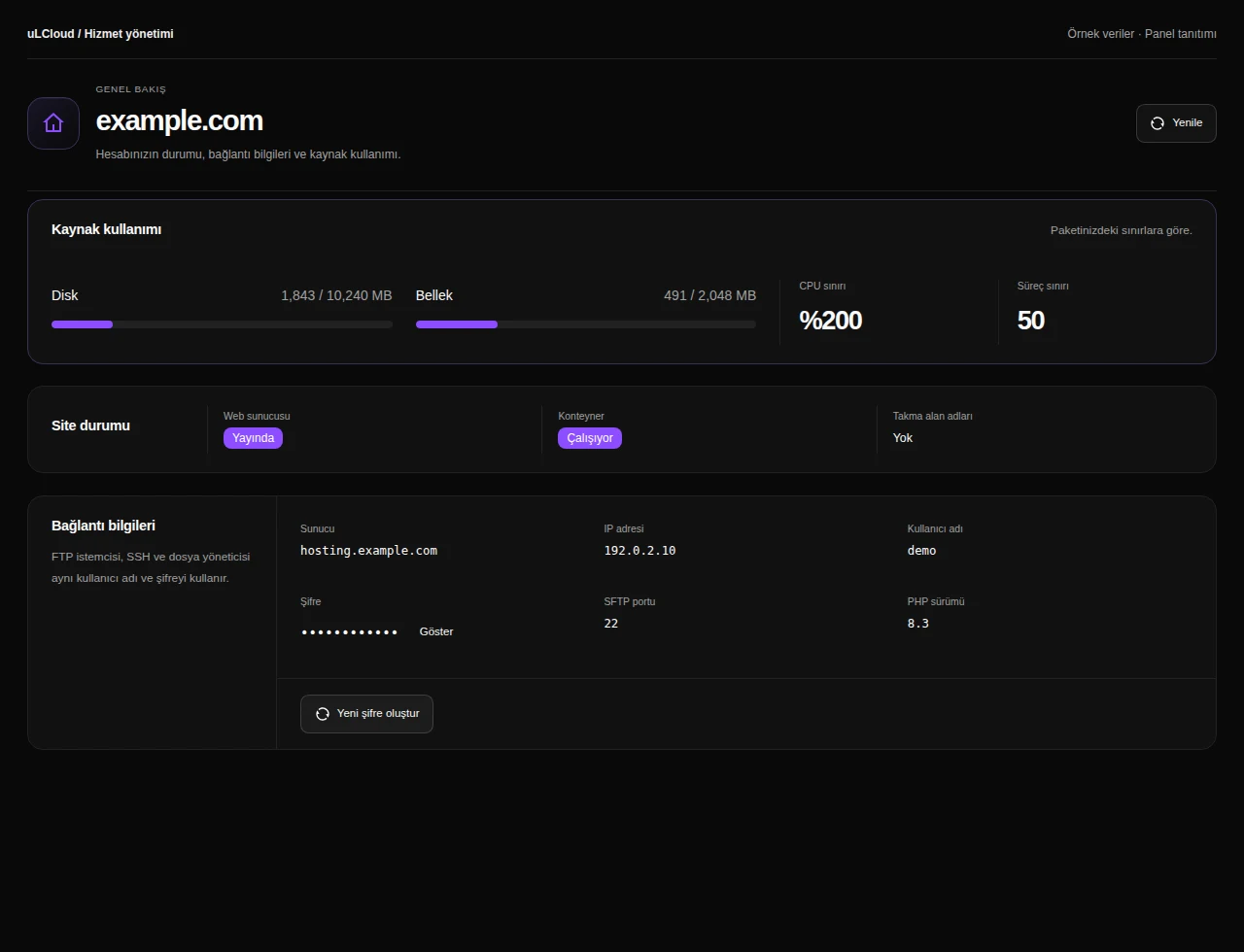
WordPress Hosting — Hosting management. Actual panel design · Sample data · Available features depend on your plan.
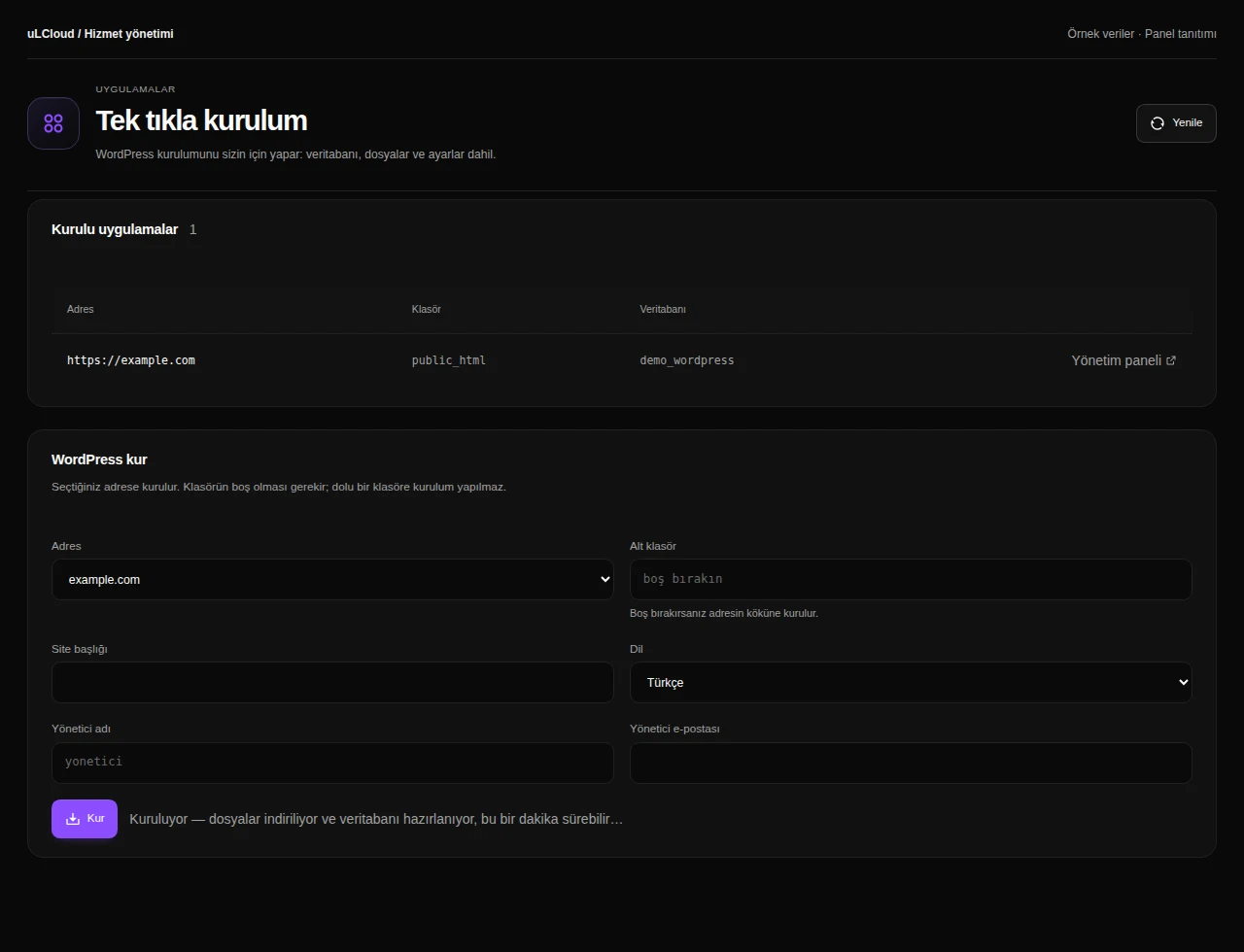
WordPress Hosting — WordPress installation. Actual panel design · Sample data · Available features depend on your plan.
WordPress Hosting — Website files. Actual panel design · Sample data · Available features depend on your plan.
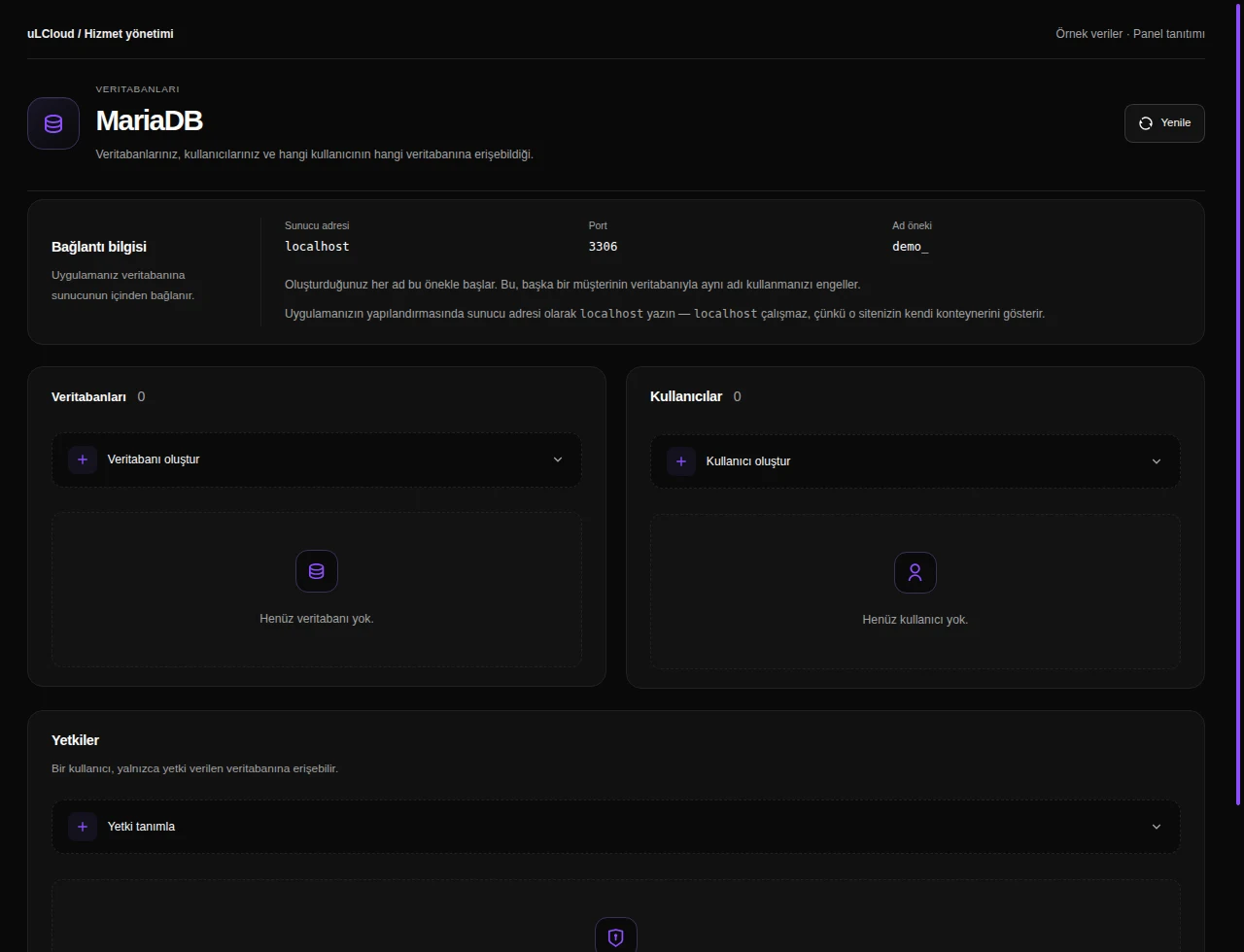
WordPress Hosting — Databases. Actual panel design · Sample data · Available features depend on your plan.
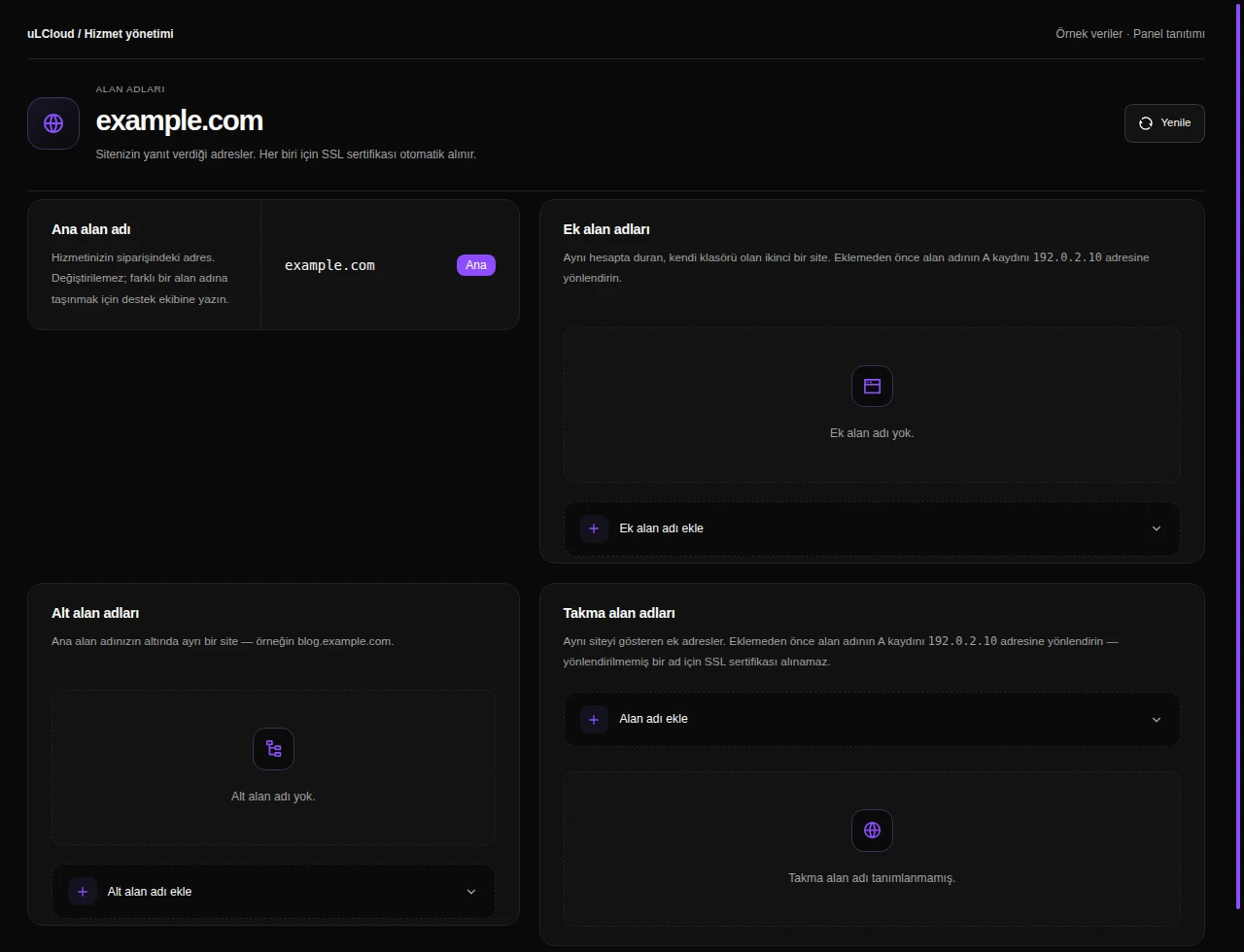
WordPress Hosting — Domains. Actual panel design · Sample data · Available features depend on your plan.
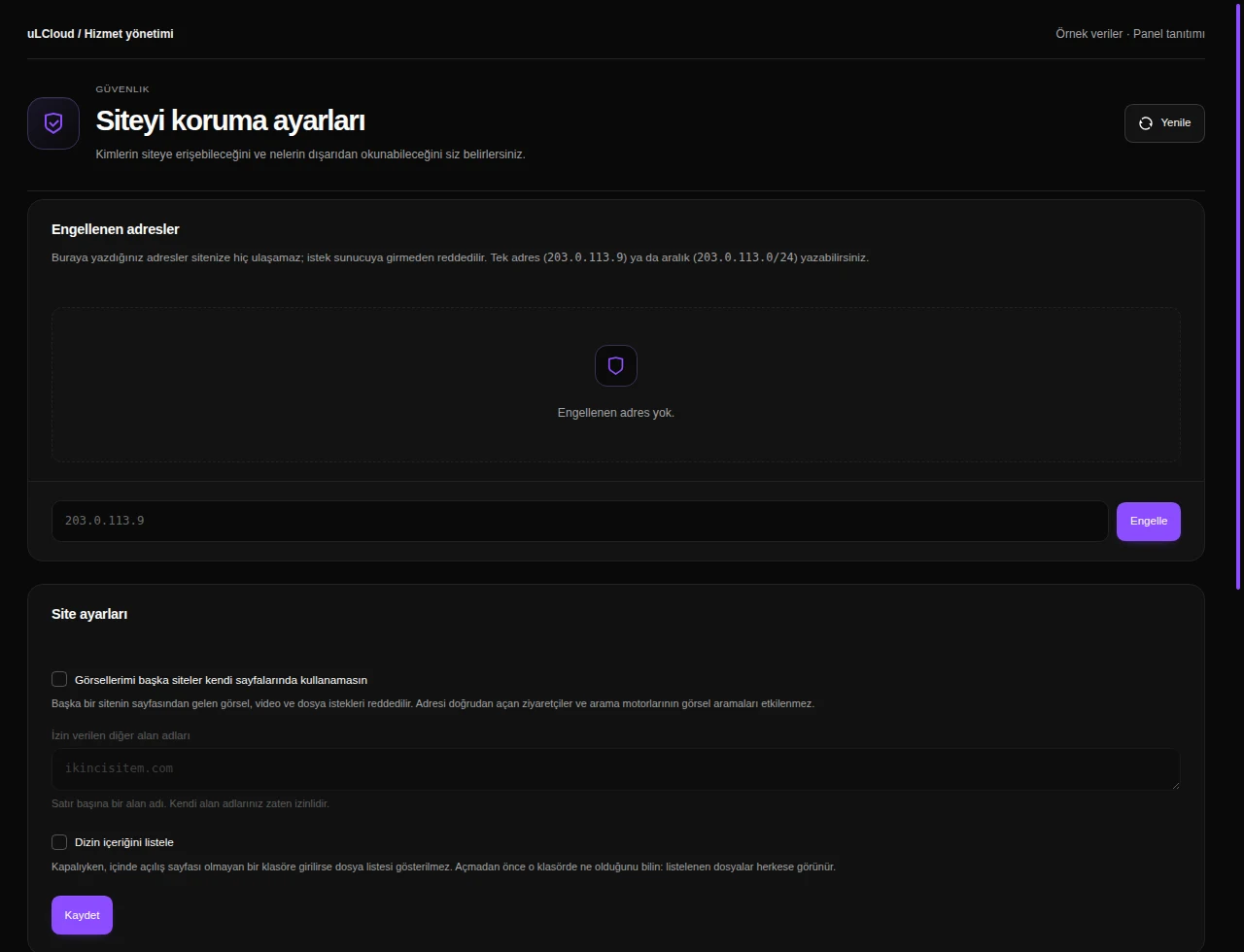
WordPress Hosting — Website security. Actual panel design · Sample data · Available features depend on your plan.
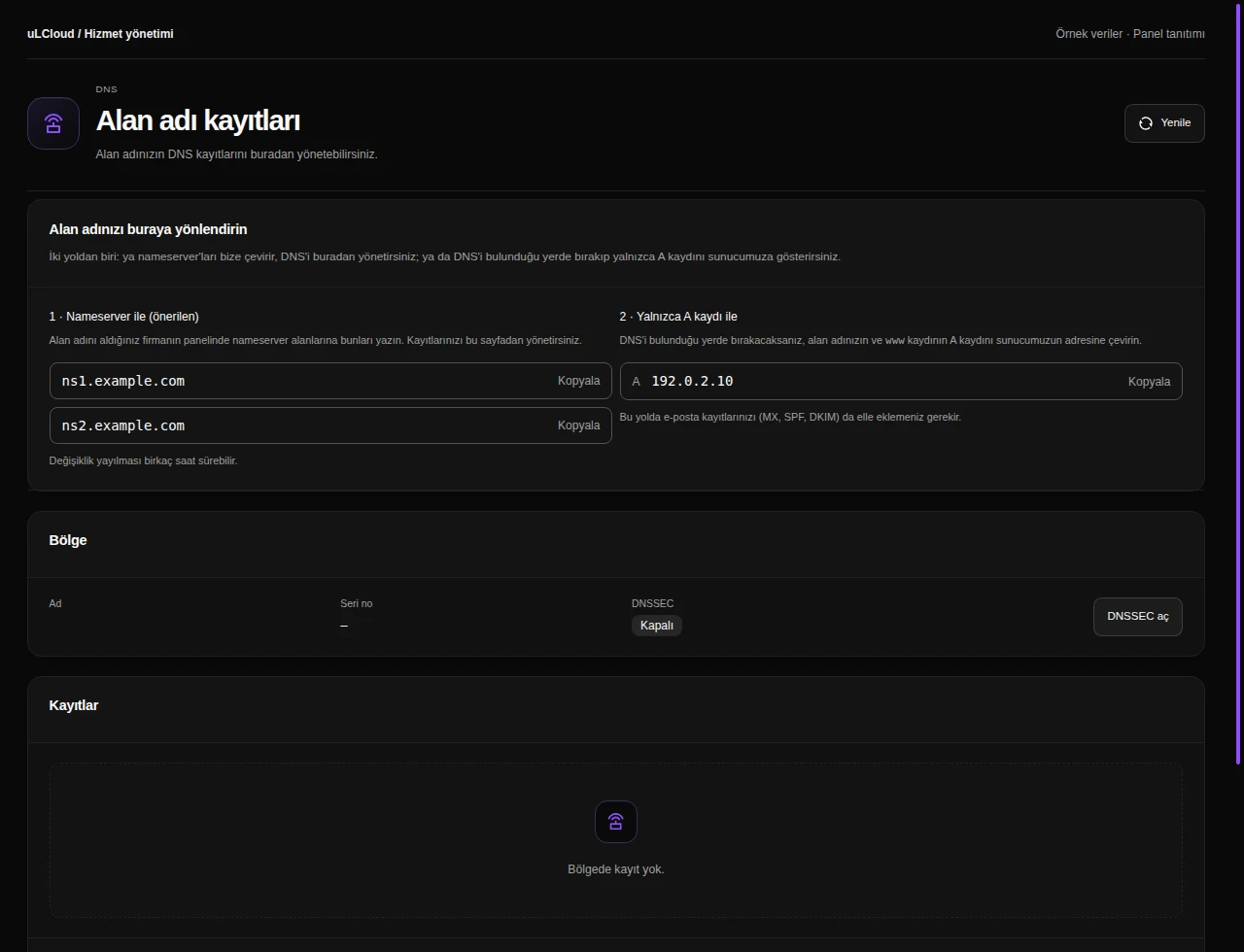
WordPress Hosting — DNS records. Actual panel design · Sample data · Available features depend on your plan.
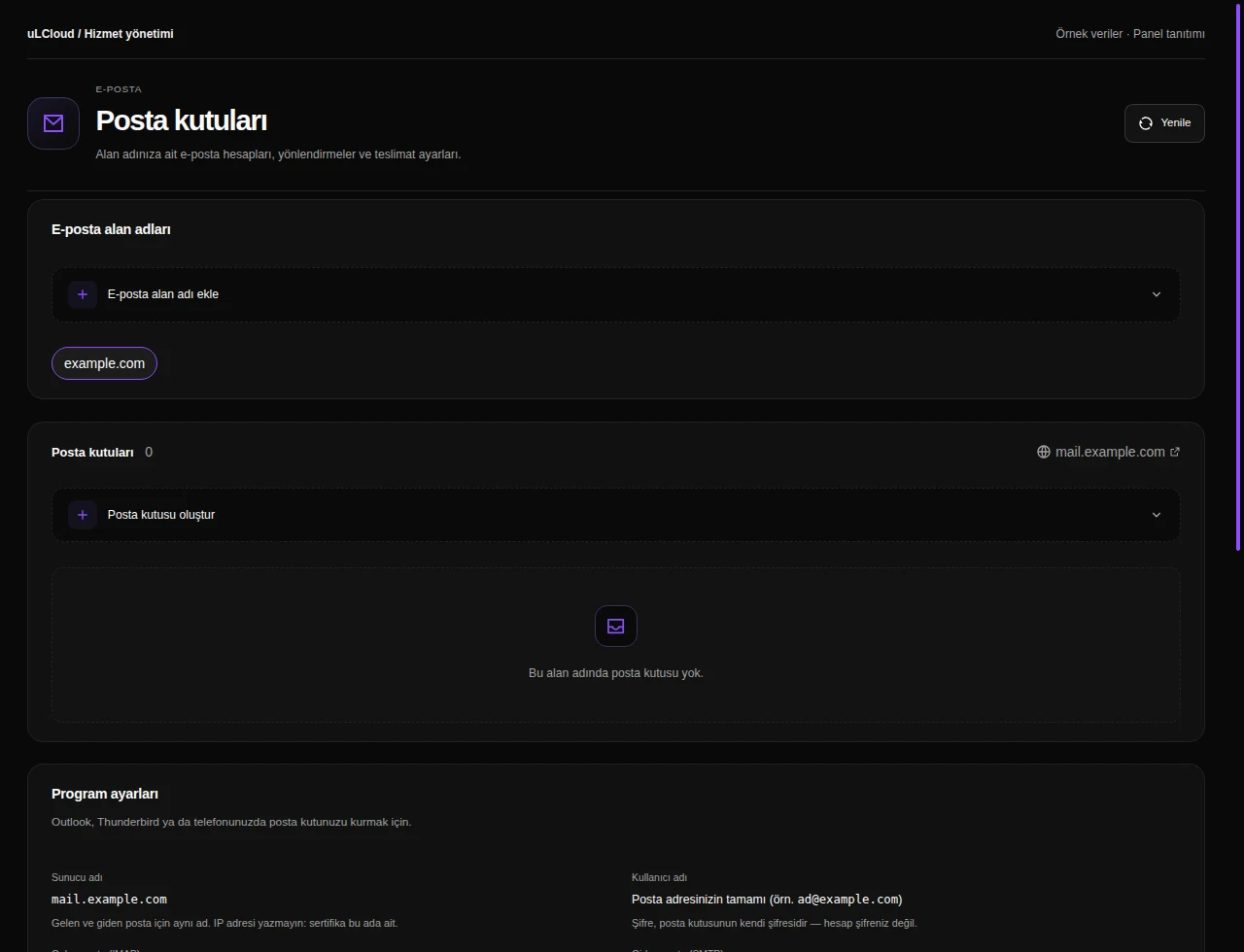
WordPress Hosting — Mailboxes. Actual panel design · Sample data · Available features depend on your plan.
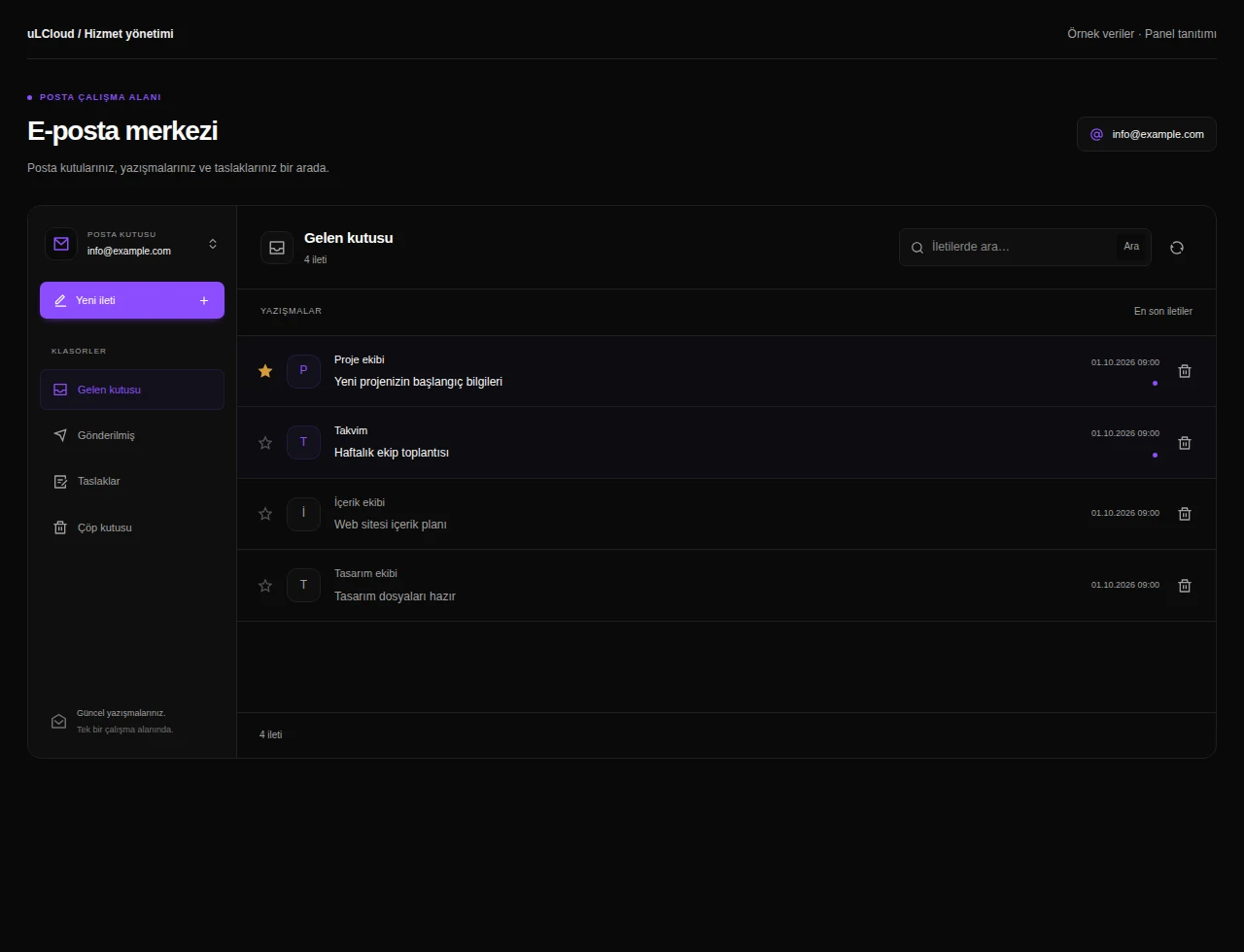
WordPress Hosting — Inbox. Actual panel design · Sample data · Available features depend on your plan.
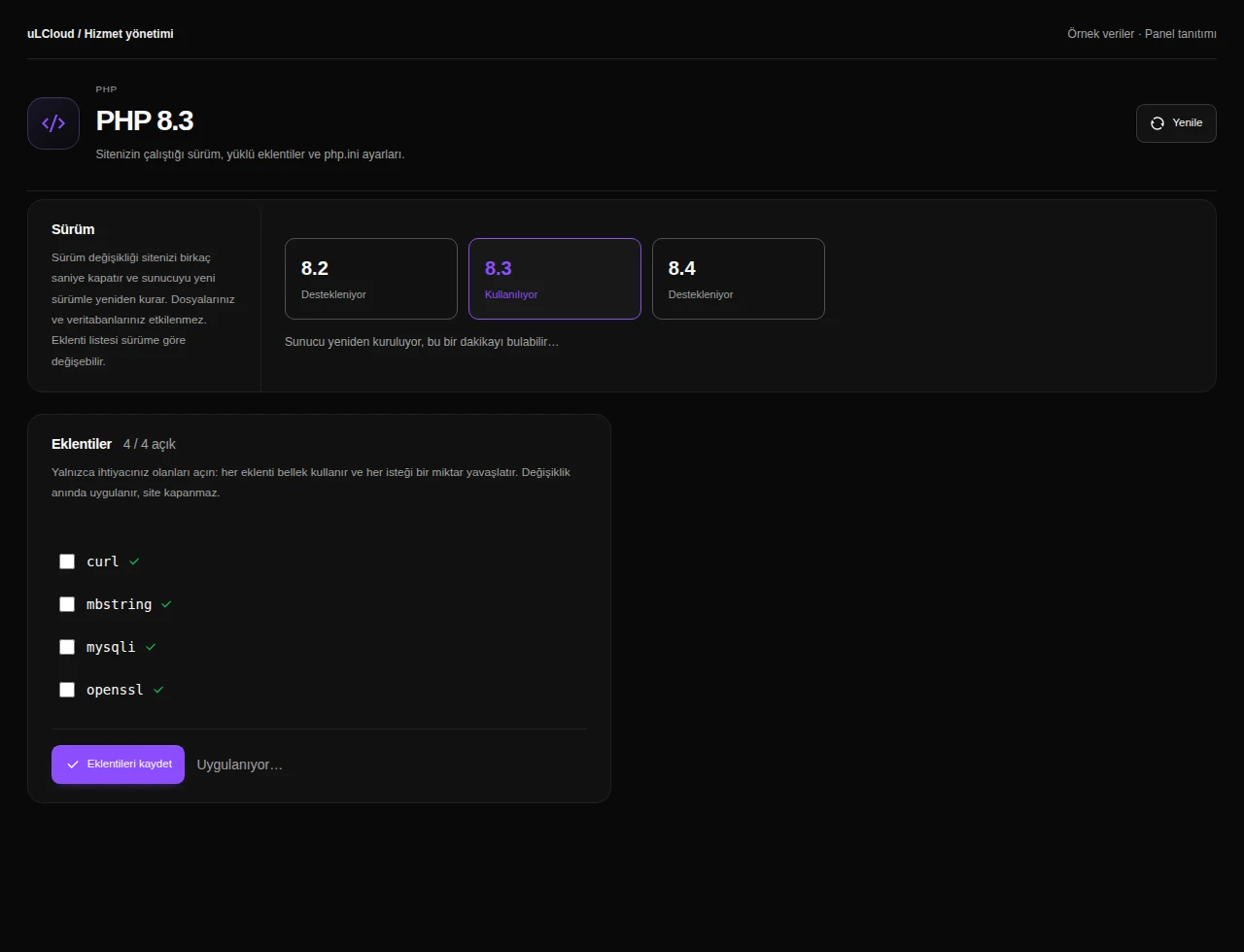
WordPress Hosting — PHP management. Actual panel design · Sample data · Available features depend on your plan.
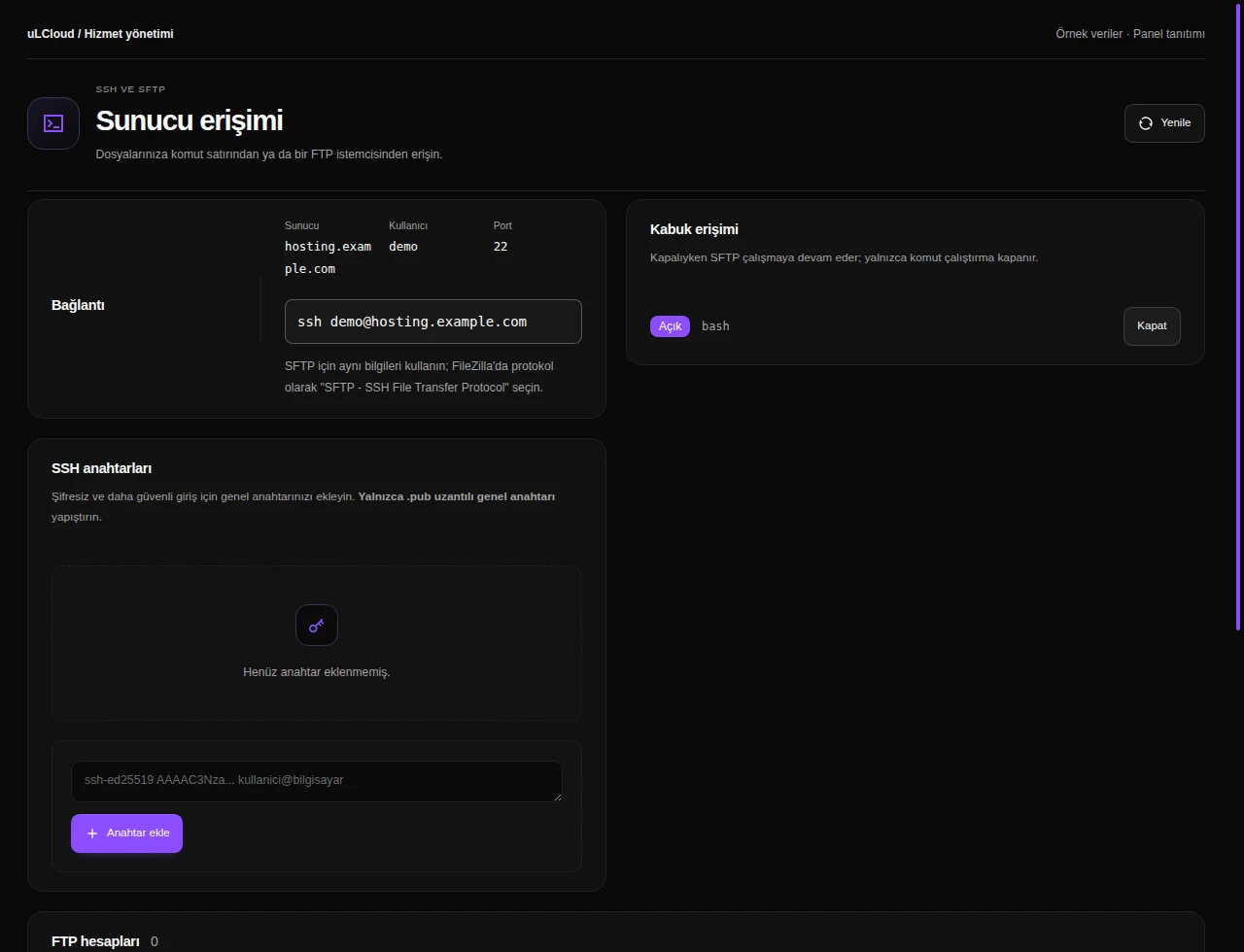
WordPress Hosting — FTP, SSH and SFTP. Actual panel design · Sample data · Available features depend on your plan.
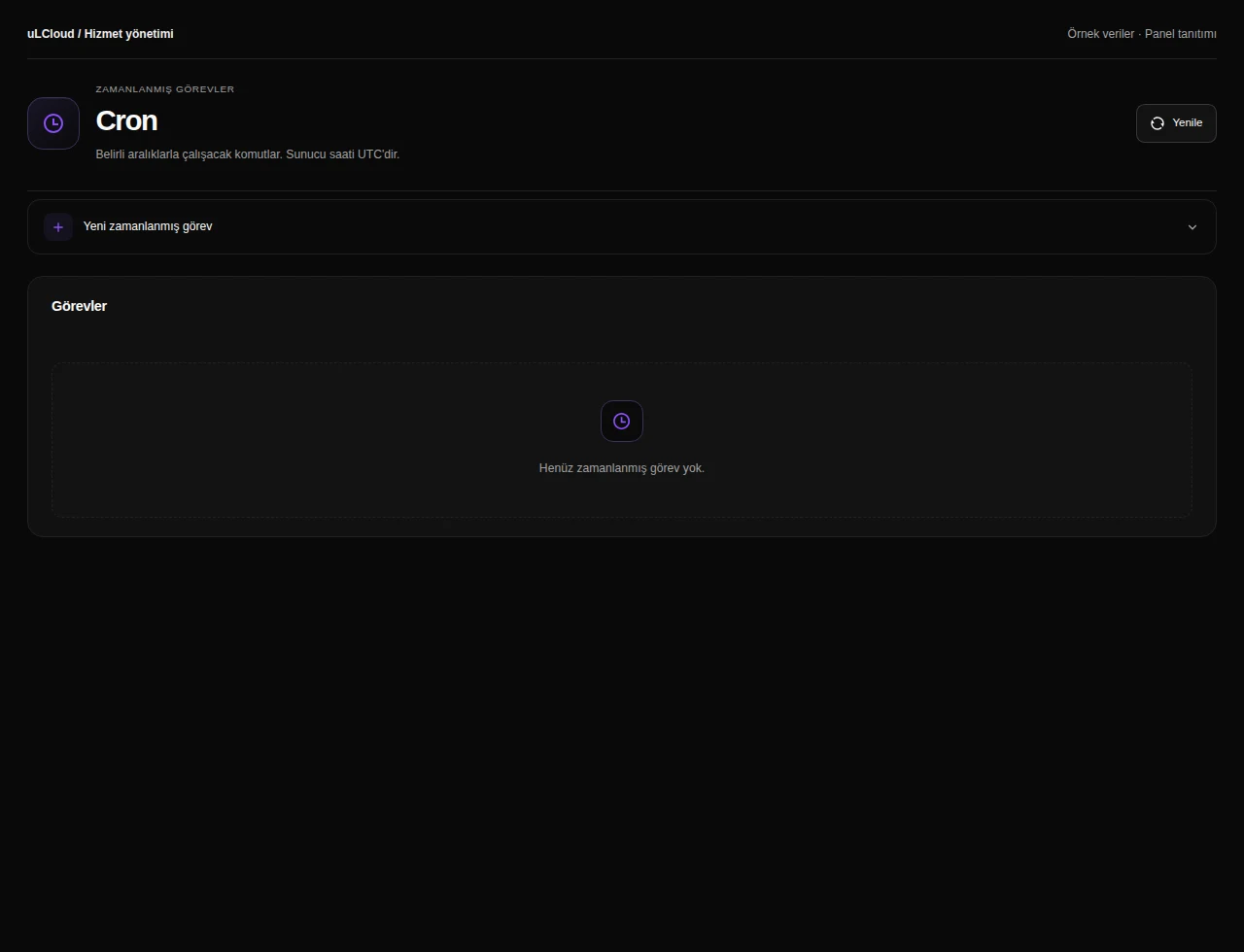
WordPress Hosting — Scheduled tasks. Actual panel design · Sample data · Available features depend on your plan.
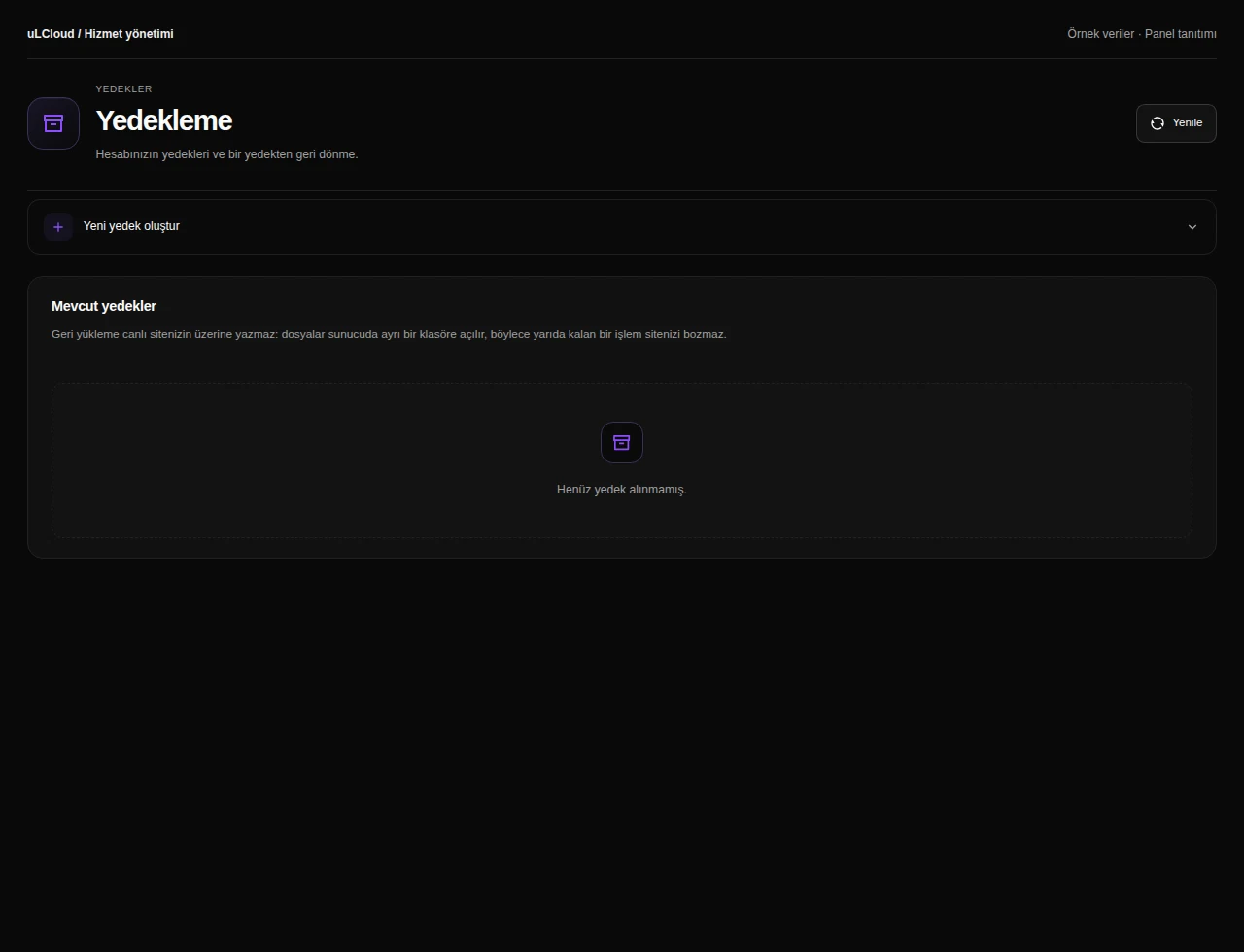
WordPress Hosting — Hosting backups. Actual panel design · Sample data · Available features depend on your plan.
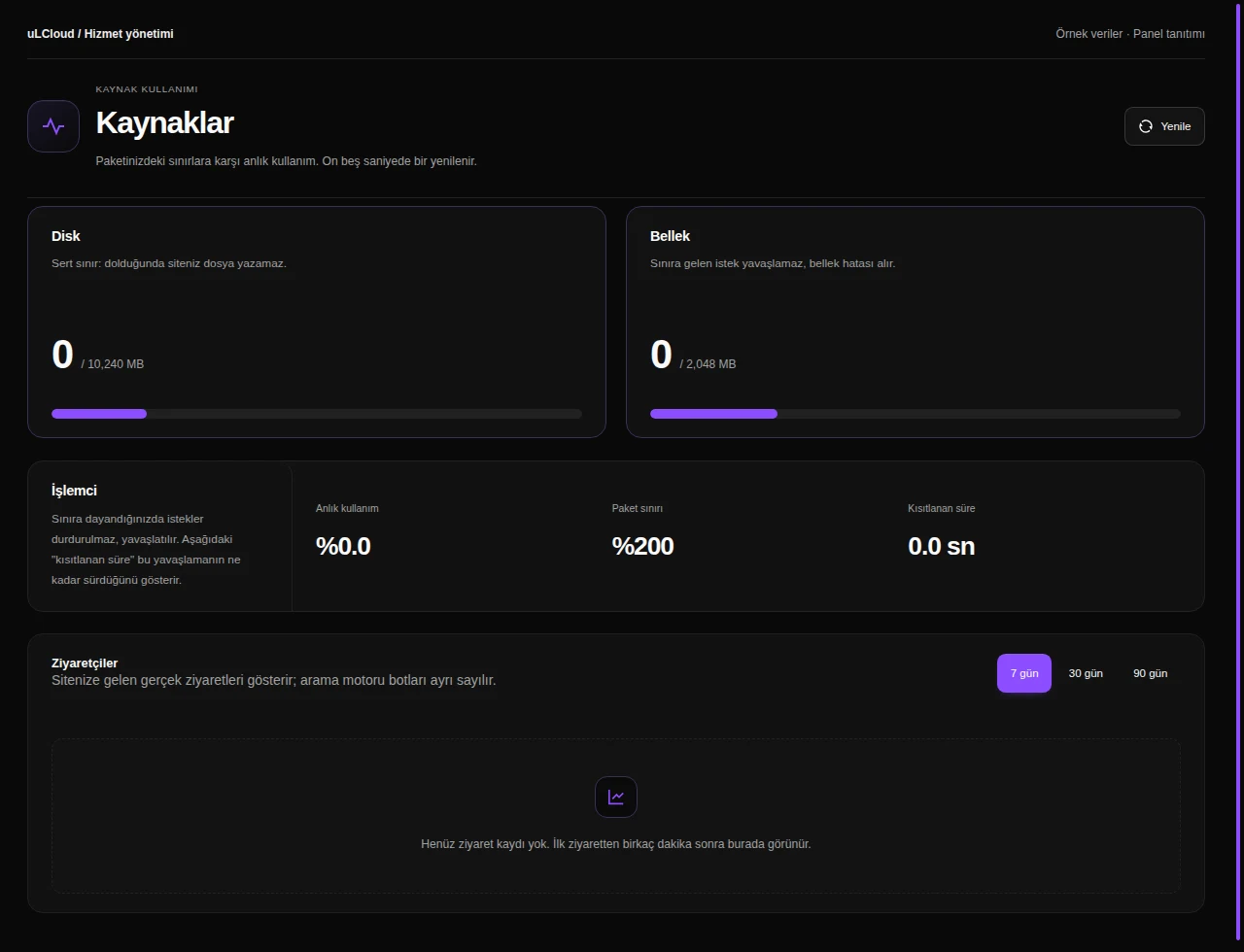
WordPress Hosting — Resource usage. Actual panel design · Sample data · Available features depend on your plan.

What can you do on this screen?

Hosting management

Review account status and resource use together. Find your domain, connection information and web features enabled for your plan.

WordPress installation

Review existing WordPress installations and admin links. Choose the domain and installation details for a new site, then access it from the same list.

Website files

Browse directories and use upload, editing, archive and recovery tools while checking paths and operation warnings.

Databases

Create databases and users, manage grants and find connection host, port and account prefix details.

Domains

Manage primary, additional, subdomain and alias addresses, with DNS pointing configured separately where necessary.

Website security

Manage IP blocks, password-protected directories and hotlink protection alongside your application’s own security maintenance.

DNS records

Manage supported DNS record types and review nameserver information, allowing for propagation after changes.

Mailboxes

Create domain mailboxes and aliases, and review spam settings, connection details and required DNS records.

Inbox

Select a mailbox and browse its folders and messages. Read emails, compose new messages and manage correspondence from the hosting panel.

PHP management

Select a supported PHP version, extensions and settings, noting the brief interruption a version change may require.

FTP, SSH and SFTP

Find connection details and manage supported SSH keys and FTP accounts according to plan permissions.

Scheduled tasks

Schedule recurring application commands with cron expressions and inspect the available execution information.

Hosting backups

Review available backup types and archives, including extraction locations and restoration guidance for your plan.

Resource usage

Compare disk, memory and CPU usage with plan limits and review available traffic information on web plans.

Which of the three plans fits

WP Start suits a single site — a blog, a portfolio or a small company brochure site with predictable traffic.

WP Pro has the headroom for sites that are genuinely visited and for WooCommerce stores, where cart, checkout and account pages cannot be served from cache.

WP Business is for high traffic or several WordPress installations under one account, which is typically where agencies looking after client sites end up.

What the hardware means for a WordPress site

Every plan runs on Intel Core i9-12900K with 128 GB of memory and Gen4 NVMe in RAID, on a 1 Gbps port. The disk sits directly in the server rather than on network storage.

For WordPress the number that matters most is database response time. Any request that misses the cache becomes a set of MySQL queries hitting the disk, so fast NVMe and enough RAM for an object cache do more for page speed than clock frequency alone.

The resources you buy are carved out of that hardware and reserved for you, not handed out from a shared pool.

Updates, cache and backups

We track WordPress updates so you are not chasing every security release yourself, and the cache and hardening settings are already active when the account is handed over.

Every plan includes a daily backup. Backups are kept on a storage cluster separate from the node your site runs on, and a restore is started from the panel rather than by opening a ticket.

WordPress Hosting

Before you choose

Talk to our team

No. WordPress is installed before the account is handed to you, with cache and security settings configured. Your login details are waiting in the panel, so you can go straight to the admin area.

WP Pro or above. Stores generate a lot of uncacheable requests to cart, checkout and account pages, and WP Pro is sized for that. Choose WP Business if you run several stores or sustained high traffic.

Yes — that is what WP Business is for. It allows multiple WordPress installations under one account with more reserved disk and memory to match.

A daily backup is included in every plan. Backups live on a storage cluster separate from your server's node, and restoring is a single action in the panel.

Provisioning starts automatically as soon as payment clears and takes around 55 seconds from order to delivery. There is no manual setup step and no queue.

From idea to publish. At your pace.

Review the available plans, compare their features and continue with your preferred configuration.

Explore plans

Sorularınızmı var ? Bizim ile iletişime geçin.